bestsoftwarereviews may earn a commission when you buy through links on this page, at no extra cost to you. This does not affect our ratings.
Monday com for accountants provides a flexible work management structure designed to organize recurring client tasks, tax deadlines, and internal team assignments across practice cycles. Accounting practices require structured coordination to prevent missed filing dates, manage document collection, and maintain visibility over team capacity during busy seasonal periods. At Best Software Reviews, we assess how operational platforms support specific professional demands without assuming one setup works for every office.
Selecting the right organizational foundation depends on whether your team needs general workflow customization or pre-configured practice management software. When investigating monday com for accountants, firms must determine how project boards, deadline tracking, and status views align with their client communication standards. Subscription costs vary according to organizational requirements, making it important to confirm user seat rules and workflow capacities directly before making commitments.
Quick verdict: monday.com earns an overall bestsoftwarereviews score of 7.7/10 for accounting operations. It is best suited for accounting teams wanting customizable boards to track client projects, tax deadlines, and staff workloads. It is not ideal for solo practitioners seeking pre-built accounting workflows without initial template configuration.
| Metric | Details |
|---|---|
| bestsoftwarereviews score | 7.7/10 |
| Best for | Accounting teams wanting customizable boards to coordinate recurring client deadlines |
| Not ideal for | Solo practitioners seeking pre-built tax workflows without setup effort |
| Key strengths | Flexible column structures, custom views, and operational task visibility |
| What to check before buying | User seat requirements and administrative permissions on the official vendor site |
1. How bestsoftwarereviews Reviewed monday.com
This review looks at what monday.com is built to do, who it serves, and how it compares with similar tools, using the seven bestsoftwarereviews criteria: features, ease of use, pricing and value, integrations, audience fit, support and competitive position. Plans, prices and limits change often, so we point out what to confirm on the official website before you buy. This article was researched and drafted with the help of AI tools, then reviewed and edited by the bestsoftwarereviews Editorial Team.
2. What is monday.com and who is it for?
monday.com is a work management and team collaboration platform developed by monday.com Ltd. It allows organizations to build custom boards, track progress visually, and organize tasks across multi-member teams. Within professional services, firms use the software to create visibility over pending client obligations, track internal reviews, and schedule routine monthly bookkeeping milestones.
The software is designed for teams across various industries that need adaptable operational tracking. For accounting firms, bookkeeping teams, and tax preparation practices, the platform provides a central workspace to replace scattered email threads and disconnected spreadsheets. Because project management tools do not serve as core general ledgers, firms use the environment to manage their human workflows alongside their separate numerical calculation programs.
3. Core features of monday.com for practice workflows

The system organizes operations through modular visual building blocks. Practice managers can build dedicated boards for individual clients, specific compliance seasons, or internal administrative reviews, adjusting column data types to fit firm terminology.
3.1. Visual task and deadline tracking
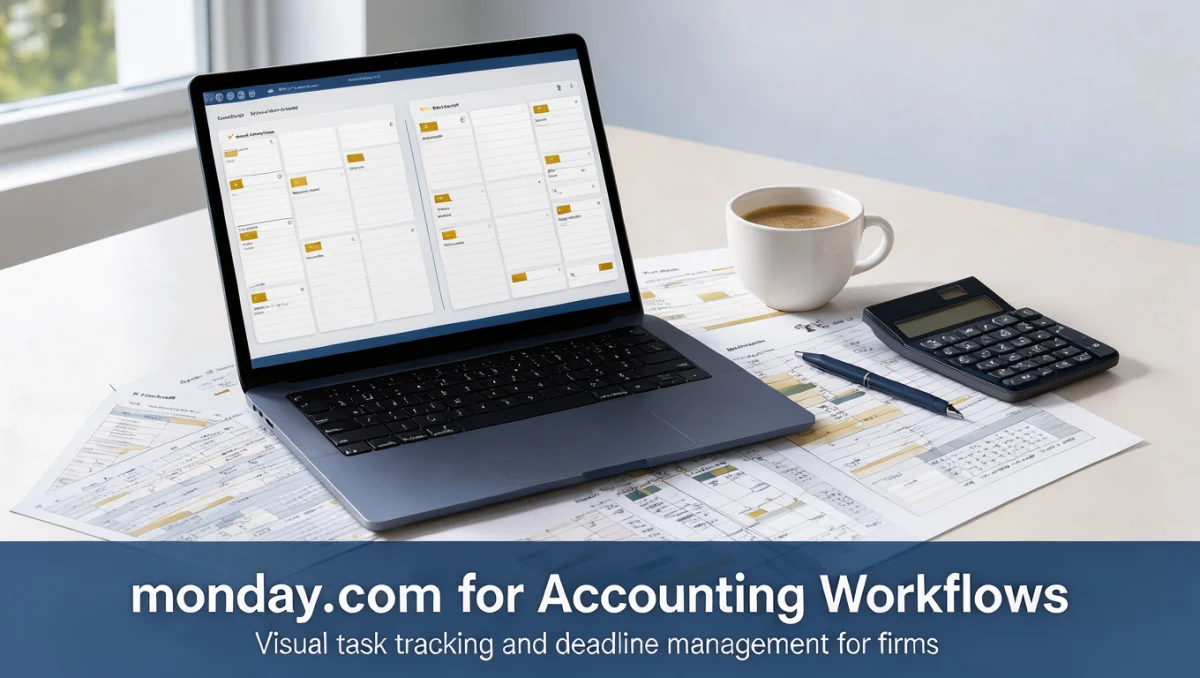
Visual tracking centers around customizable boards where each row represents a deliverable, such as a monthly reconciliations package or an annual corporate filing. Columns hold assignees, due dates, priority markers, and approval statuses. Accounting managers can change display perspectives between spreadsheet-style grids, chronological timelines, calendar layouts, and visual cards to monitor upcoming deadlines.
3.2. Automated status transitions
Workflow automation allows firms to configure rule-based actions, such as updating a status when an intake document arrives or notifying a manager when a review stage finishes. In high-volume compliance environments, these automated notifications reduce manual checking between preparers and senior reviewers. Confirm available execution allowances on the official vendor comparison page, as automated triggers depend on specific subscription selections.
3.3. Team workload and resource management
Resource management views allow practice leaders to monitor assignments across staff accountants and seasonal contractors. Boards display task allocations against scheduled delivery targets, helping supervisors balance caseloads before bottlenecks develop. This structure ensures client files move steadily through review stages during peak filing windows.
3.4. Client request tracking and intake boards
Accounting firms frequently lose time waiting on bank statements, payroll records, and expense documentation from clients. By structuring standardized intake boards, teams can track outstanding client requests in real time. Items move from document gathering into active review once the necessary files arrive, establishing clear operational accountability across the firm.
4. Ease of use and learning curve
monday.com presents an approachable interface using drag-and-drop elements, clear visual labeling, and color-coded status tags. New team members generally navigate existing boards with minimal difficulty because visual cues clearly indicate item ownership and current review states. Basic interactions require little initial instruction once boards are properly set up.
The primary learning investment involves architectural configuration rather than day-to-day data entry. Because the software functions as an adaptable framework rather than an off-the-shelf accounting program, practice administrators must decide how to structure client boards, archive completed filings, and configure team permissions. Establishing clear organizational conventions early prevents board clutter as client rosters expand.
5. Pros and cons of using monday.com in an accounting firm
Evaluating an operational platform requires balancing customization potential against ongoing administrative demands. Accounting practices should consider both the structural strengths and practical boundaries of the system.
5.1. Operational advantages
- Flexible board structures allow firms to design custom client tracking columns without technical coding.
- Multiple view styles let managers switch between calendar views for filing deadlines and grid views for detailed task lists.
- Visual status indicators give team members instant clarity regarding review stages and pending approvals.
- Standardized project boards can be duplicated across new client onboardings to maintain consistent service standards.
5.2. Practical drawbacks and workarounds
- The platform lacks native double-entry general ledger capabilities, meaning firms must maintain their primary financial records elsewhere.
- Initial setup requires intentional design effort, which busy practices can address by establishing uniform board conventions before onboarding staff.
- Advanced workflow governance requires reviewing the official subscription matrix to ensure chosen account types match firm security policies.
6. monday.com vs similar tools for practice management

Understanding how monday.com compares with alternative solutions helps firms determine the right software category for their administrative needs. Work management tools approach operational tracking from distinct angles.
Asana focuses on structured task management and team coordination across general corporate departments. It offers clean workflow dependencies for teams that favor list-based task progression over heavy column customization. Teams choosing between these platforms should compare board adaptability against task hierarchy preferences.
ClickUp targets broad productivity needs by combining task management, document editing, and goal tracking into an all-inclusive framework. Its dense feature set provides extensive flexibility, though some teams experience a steeper administrative setup curve when configuring firmwide standards.
Specialized accounting practice management platforms focus strictly on tax preparation, firm billing, and client document exchange. While specialized platforms offer pre-built tax workflows right away, flexible platforms like monday.com provide superior customization for non-standard advisory engagements, consulting services, and cross-departmental operations within modern firms.
7. Who should use monday.com?
The software suits organizations with specific structural preferences and operational profiles. Reviewing typical workplace roles clarifies whether the software matches your firm structure.
7.1. Small and mid-sized accounting firms
Multi-staff practices handling recurring bookkeeping, payroll runs, and corporate filings benefit from transparent workload distribution. Supervisors gain high-level oversight of active deliverables without interrupting staff accountants with repetitive status check-ins.
7.2. Modern advisory and consulting teams
Practices that combine accounting compliance with strategic advisory services need platforms capable of handling custom project scopes. Teams working within the broader Collaboration & Productivity space find that customizable boards adapt smoothly to unique consulting engagements that do not fit into rigid tax templates.
7.3. Solo practitioners and micro-bookkeepers
Solo operators managing a modest client base may find setting up custom workflow boards more involved than necessary. Independent bookkeepers who rely primarily on basic calendar alerts or native task features in their general ledger software should assess whether maintaining dedicated project boards adds sufficient administrative value.
8. How to choose the right plan for your accounting team
Selecting an appropriate plan requires aligning user requirements with organizational policies. Software buyers should review specific account parameters directly with the vendor before purchasing.
| What to check | Why it matters |
|---|---|
| User seat minimums | Subscription tiers may enforce user increments that influence monthly billing totals. |
| Automation allowances | Monthly execution ceilings dictate how many status triggers and alerts run across your boards. |
| Administrative permissions | Role-based access settings determine which staff members can edit client board structures. |
| Data storage policies | File attachment rules impact teams uploading client records and financial workpapers. |
| Client viewing options | Permissions for external guests dictate whether clients can view progress on dedicated boards. |
9. Frequently asked questions
9.1. How should a firm prepare for board setup?
Firms should outline their standard client workflows on paper before creating digital boards. Defining preparation, review, and filing steps beforehand ensures board columns remain uniform and understandable across the organization.
9.2. What expenses should an accounting practice anticipate beyond base software?
Practices should budget for initial administrative setup hours, staff orientation sessions, and potential third-party connectors. Consulting firm partners about process standardization helps avoid unexpected configuration delays.
9.3. Should accounting firms consult external specialists during software implementation?
Seeking advice from an operational specialist or seasoned practice manager can streamline workspace architecture. Professional guidance helps teams establish secure document handling practices and standardized client naming conventions from day one.
9.4. How can practice managers keep work management costs under control?
Practice leaders can manage software expenses by regularly reviewing active user accounts and deactivating unneeded guest seats. Verifying automation usage on official account dashboards prevents unnecessary subscription upgrades.
10. Final verdict on monday.com for accounting teams
monday.com provides accounting practices with an adaptable work management environment that clarifies internal task handoffs, deadline tracking, and operational workloads. While it requires initial template setup to reflect professional accounting cycles, its flexibility makes it a compelling operational engine for collaborative firms.
| Criterion | Score /10 | Reason |
|---|---|---|
| Features | 8.5/10 | Flexible columns, multiple views, and customizable boards support diverse client deliverables. |
| Ease of Use | 8.0/10 | Visual layouts and color-coded statuses make daily task tracking accessible for team members. |
| Pricing and Value | 7.2/10 | Buyers should verify minimum seat rules and automation limits to ensure predictable monthly costs. |
| Integrations | 7.5/10 | Firms should review connection capabilities with their external ledger and storage systems. |
| Audience Fit | 8.2/10 | Well-aligned for collaborative accounting teams seeking structured task oversight across staff. |
| Support | 7.0/10 | Users should check available assistance channels and documentation directly on the vendor portal. |
| Competitive Position | 7.8/10 | Offers superior board customization compared with rigid task apps, though requires template setup. |
| Overall score | 7.7/10 | Strong visual work management for collaborative accounting teams balancing multi-client deadlines. |
Firms with multiple team members, recurring compliance milestones, and advisory projects will find substantial organizational value in the platform. Conversely, solo bookkeepers with simple workflows should confirm whether dedicated project boards fit their operational scale before buying.
Have questions about selecting operational software for your team? Send your inquiries to the bestsoftwarereviews team through our contact page or connect with us on LinkedIn for ongoing software evaluation guidance.