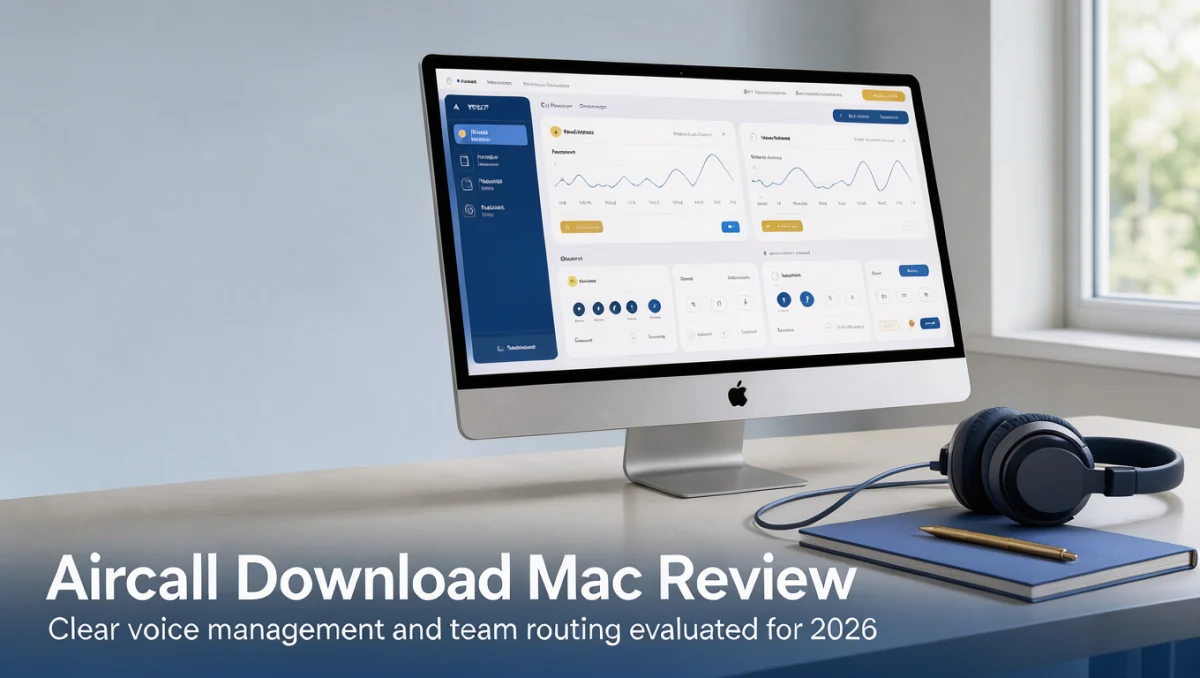
The journey to aircall download mac begins on the official vendor portal. Before deploying this robust phone system, it's crucial to verify desktop compatibility and understand account prerequisites. Businesses seeking effective voice communication tools often rely on a user-friendly desktop interface for managing customer interactions, directing inquiries, and coordinating team availability. At Best Software Reviews, we aim to guide decision-makers toward software that perfectly matches their operational needs without unexpected integration challenges.
Thoroughly evaluating how voice software integrates into daily operations is essential. Confirming your operating system's readiness directly on the Aircall website ensures your hardware meets current audio processing standards and software requirements.
Understanding Aircall’s Role in Business Communication

Aircall stands as a dedicated business telephony platform engineered to streamline, document, and manage voice communications across various departments. It equips organizations with essential tools like virtual phone numbers, intelligent call distribution, and collaborative call handling features, enabling multiple agents to manage inbound queues collectively. Rather than relying on traditional physical switchboards, companies can now manage their communication settings through intuitive software dashboards.
This system is primarily designed for customer-facing departments, including help desks, service teams, and outbound outreach groups. For professionals handling modern Customer Service inquiries, direct call routing and immediate access to caller context significantly reduce response delays. Teams that distribute tasks among specialists will find the shared records invaluable for smoother agent transitions.
However, businesses with infrequent, purely transactional telephone needs might find a dedicated call center software excessive. If your operation requires only basic voice connectivity for a single user, standard mobile plans or consumer telecommunications lines may offer a more straightforward solution.
Key Features for Enhanced Call Management

Intelligent Call Routing and Interactive Menus
Aircall’s call routing functionality allows organizations to design structured navigation menus. Incoming callers can select departments or languages, and administrators can establish cascading rules. If a primary representative is unavailable, calls can be directed to secondary specialists or routed to voicemail, ensuring organized inbound flows even during peak contact hours.
Shared Queues and Collaborative Inboxes
Shared inboxes empower multiple representatives to monitor incoming calls, claim missed inquiries, and add notes to individual interactions. By sharing contact context, team members can avoid duplicate outreach and maintain visibility into ongoing customer issues, fostering accountability across busy support desks.
Call Tagging and Activity Logging
Activity logging tools categorize interactions using customizable tags, such as ‘urgent inquiry,’ ‘sales lead,’ or ‘technical support.’ Supervisors can review these tagged conversations to identify workflow trends and efficiently organize follow-up tasks.
Administrative Analytics and Monitoring
The administrative dashboards offer supervisors comprehensive summaries of call volume, hold times, and agent availability. These operational metrics assist managers in adjusting staffing schedules to meet customer demand and reducing queue waiting periods.
Ease of Use and Implementation
The user experience of voice platforms heavily relies on a clean interface design and straightforward call handling tools. Agents must be able to mute calls, transfer callers, and add internal notes without navigating complex menus. In customer-facing scenarios, delays caused by interface confusion can directly impact caller satisfaction.
Onboarding typically involves configuring audio hardware and setting clear call distribution rules. Administrators should consult the official Aircall documentation for specific peripheral settings and desktop configurations that ensure optimal audio clarity. Providing staff with structured training on call transfers and interaction tagging can minimize initial user hesitation.
Pros and Cons of Aircall
Pros
- Intuitive interface designed for daily calling tasks, minimizing setup confusion for new representatives.
- Collaborative tools enable teammates to share numbers, review call records, and assign follow-ups.
- Centralized administrative oversight simplifies phone number management and call routing.
- Structured activity tagging effectively sorts customer inquiries for large service teams.
Cons
- Subscription costs can escalate for growing organizations, necessitating careful plan verification.
- Requires a stable broadband connection; local network disruptions can degrade audio call performance.
- Advanced telephony customization might necessitate exploring higher-tier administrative settings on the vendor site.
Comparing Aircall with Competitors
Understanding how Aircall compares to established industry alternatives is key to selecting the right communications architecture. While platforms like RingCentral offer broad unified communications, Aircall focuses on specialized voice queue handling and shared workflows. Dialpad emphasizes speech analytics, and Nextiva integrates calling with broader customer relationship management. The choice depends on whether your organization prioritizes focused voice collaboration or an extensive multi-channel suite.
Who Benefits Most from Aircall?
Small and Medium Business Support Teams
Customer service departments managing consistent inbound volumes find significant value in shared inboxes and interactive menus. When multiple agents cover a single line, assigning unanswered calls and tagging ongoing inquiries prevents customer requests from being overlooked.
Outbound Sales Development Groups
Sales teams conducting regular discovery calls benefit from centralized logging and efficient desktop dialing. Logging outcomes directly into shared contact records ensures sales leaders maintain pipeline visibility without manual record-keeping.
Distributed and Remote Organizations
Companies with geographically dispersed employees require cloud-managed telephony that operates without physical hardware constraints. Deploying phone software on workstations allows remote specialists to answer department lines from any location with adequate internet connectivity.
Choosing the Right Aircall Plan
Telephony software subscriptions typically vary based on user minimums, advanced routing capabilities, and administrative reporting access. Buyers should meticulously review plan terms before subscribing. Key considerations include seat minimums, hardware and system needs, international calling rates, and data retention terms, all of which impact budget and compliance.
Frequently Asked Questions
How should teams prepare their network for voice software installation?
Voice applications depend heavily on consistent network stability and minimal latency. Organizations should test local bandwidth, configure quality-of-service settings on routers, and ensure remote staff use dependable broadband connections.
What desktop hardware compatibility factors should buyers verify?
Buyers must confirm operating system versions and processor requirements on the official software portal. Conducting an aircall download mac test run on a pilot machine verifies headset, microphone, and audio permissions function correctly before full deployment.
Why do businesses switch from standard phones to cloud voice software?
Traditional phone systems tether users to physical desks and lack collaborative tools. Cloud-based platforms allow distributed teams to share inbound call responsibilities, track interaction metrics, and manage business numbers flexibly.