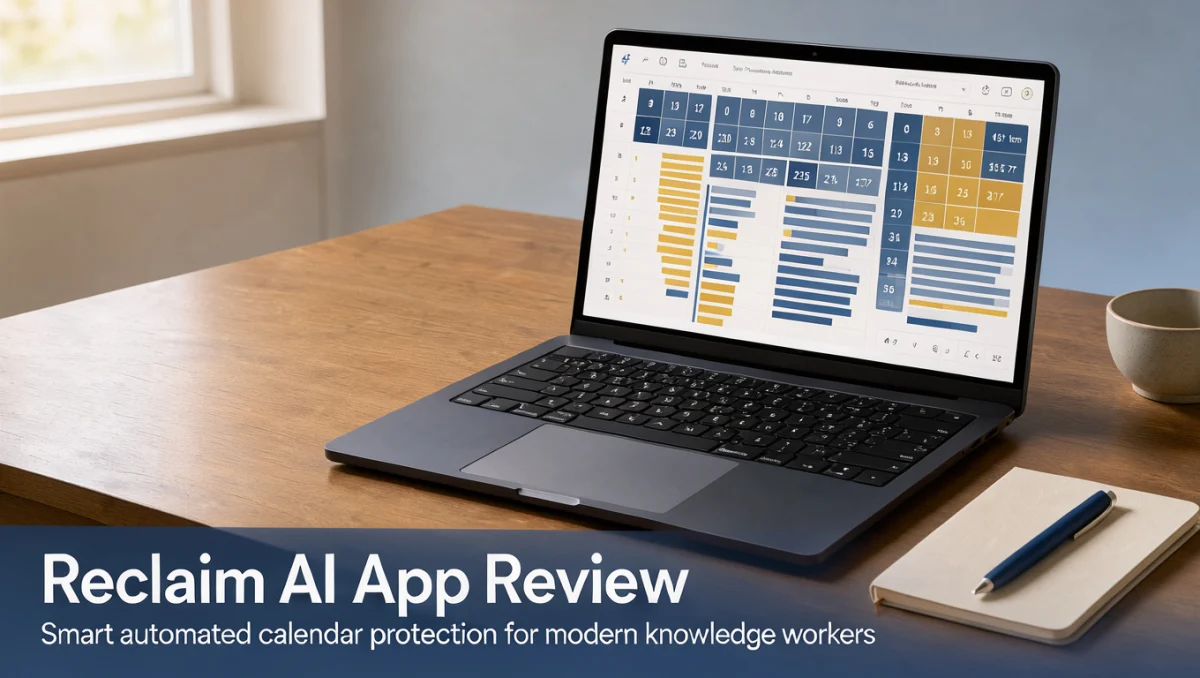
In today's demanding professional landscape, maintaining focus and managing a packed schedule can be a constant battle. Automated calendar tools like the reclaim ai app are emerging as vital allies, helping individuals and teams reclaim valuable time. This platform aims to defend personal habits, strategically block time for essential routines, and intelligently negotiate task availability within digital calendars. For knowledge workers grappling with fragmented workdays, adopting intelligent calendar software is key to establishing protective boundaries within shared schedules. At Best Software Reviews, we meticulously analyze productivity solutions to guide both independent operators and corporate teams in selecting tools that perfectly fit their unique operational rhythms.
Choosing the right agenda automation system involves striking a delicate balance between flexibility and the complexity of setup. The reclaim ai app excels at providing structured time-blocking for deep work sessions while ensuring collaborative slots remain transparent to colleagues. However, for individuals with highly predictable daily tasks or minimal meeting obligations, the comprehensive automation features might prove more than necessary for their day-to-day operations.
Quick verdict: Scoring an impressive 8.1/10, the reclaim ai app is an excellent choice for busy knowledge workers, product leaders, and cross-functional operators who require automated time-blocking for critical tasks and recurring habits. It is less ideal for individuals with predictable, meeting-free days who prefer simpler manual calendar entries.
| Metric | Summary |
|---|---|
| bestsoftwarereviews score | 8.1/10 |
| Best for | Professionals managing heavy meeting loads and fragmented project tasks |
| Not ideal for | Solo operators with minimal meetings who prefer manual time entries |
| Key strengths | Automated habit defense, dynamic task scheduling, and flexible agenda protection |
| What to check before buying | Multi-calendar sync parameters, team scheduling options, and renewal terms |
Automated Scheduling: A Deep Dive into Reclaim AI

This review delves into the core functionalities of the reclaim ai app, its target audience, and its standing against comparable tools. We evaluate it based on seven key metrics: features, user-friendliness, cost-effectiveness, integration capabilities, audience suitability, support, and competitive positioning. As plans and pricing are subject to frequent changes, it is always advisable to verify details on the official website before making a purchase. This analysis was informed by AI research and subsequently refined by the dedicated editorial team at Best Software Reviews.
Understanding Reclaim AI App's Purpose and Audience
The reclaim ai app functions as a sophisticated calendar management platform, focusing intently on automated time-blocking, efficient task prioritization, and proactive schedule defense. Its primary objective is to alleviate common scheduling friction points by transforming static calendars into dynamic, adaptive planners that intelligently adjust to new appointments as they arise. For professionals juggling multiple initiatives, the constant loss of productive hours to administrative coordination makes automated rescheduling an invaluable asset for sustained output.
This powerful software is primarily designed for knowledge workers, project coordinators, software engineers, and managers whose daily schedules are frequently disrupted by excessive meetings. In fast-paced organizational settings, unexpected requests often displace crucial analytical and focused work. The platform’s dynamic capability allows it to automatically shift protected task blocks into available time slots, ensuring that essential responsibilities receive the dedicated attention they require without the need for manual rearranging.
Organizations increasingly exploring the broader applications of Artificial Intelligence for enhancing office productivity are actively seeking tools that minimize cognitive load. The reclaim ai app addresses this need by treating time as a fluid resource, enabling users to designate specific commitments as either flexible or locked, based on their personal priority level.
Key Capabilities of Reclaim AI App

A thorough understanding of the functional strengths of the reclaim ai app is essential for prospective buyers to determine if its automated calendar assistance aligns with their operational routines and workflow needs.
Automated Task Scheduling
This feature automatically converts project milestones and to-do list items into scheduled calendar events. Instead of maintaining a separate task list that disregards daily availability, users can assign estimated durations and deadlines to their action items. The system then intelligently identifies open intervals on connected calendars and inserts dedicated work sessions to ensure those assignments are completed before their target dates.
As external collaborators book meetings throughout the week, the system dynamically shifts pending task blocks to alternative open slots. This intelligent repositioning eliminates the time-consuming manual effort of moving agenda entries every time a schedule conflict emerges.
Habit Protection and Routine Management
Habit protection empowers professionals to establish recurring calendar reservations for personal development, exercise, administrative catch-up, or focused learning. Users can define their ideal time windows—such as morning exercise or afternoon inbox triage—along with acceptable duration tolerances. The calendar initially keeps these blocks marked as free or tentative. However, when meeting pressure threatens this allocated time, the block automatically converts to ‘busy' to defend the established habit.
This adaptive behavior fosters a crucial balance between collaborative demands and personal well-being. It allows teams to maintain transparency regarding colleague availability while simultaneously ensuring individuals can maintain necessary personal routines throughout the demanding workweek.
Intelligent Meeting Coordination and Booking Links
Smart meeting coordination streamlines appointment booking by intelligently assessing mutual availability, priority levels, and preferred meeting windows. Rather than simply sharing rigid booking links that expose all available calendar space, the software carefully evaluates existing commitments and suggests optimal slots that do not compromise critical project tasks or focus time.
For recurring internal meetings, the system can automatically identify the best mutual opening across all participant calendars. If an urgent conflict arises, the system possesses the capability to relocate regular catch-ups to alternative mutually available periods without requiring manual intervention from the organizer.
Buffer Times for Transitions
Sustained cognitive performance is heavily reliant on strategic breaks between intensive collaborative sessions. The platform incorporates automatic buffer times for transitions and decompression periods around scheduled calls, effectively preventing the fatigue associated with back-to-back meetings. Users can specify minimum rest periods, and the system ensures external bookings cannot occupy adjacent calendar spaces without adequate buffer allocation.
User Experience and Learning Curve
Adopting automated scheduling technology necessitates an initial adjustment period as users learn to trust the algorithmic alterations to their agenda. New users must carefully calibrate their work hours, categorize personal routines, and determine the desired level of aggressiveness for the system to defend their personal availability. Taking the time to properly set up these parameters is key to a smooth transition.
Initial Setup and Rule Configuration
Configuring calendar automation effectively involves establishing clear working parameters, including preferred deep work blocks, dedicated lunch periods, and maximum daily meeting thresholds. Users who invest time in outlining realistic priorities will experience much smoother initial adjustments. Rushing the configuration process without clearly defining boundaries can inadvertently lead to unexpected calendar changes that may confuse collaborators or disrupt workflows.
Day-to-Day Schedule Oversight
Once the initial parameters are actively configured, the primary focus of daily management shifts to reviewing the dynamically generated schedules. Users retain the ability to lock specific entries, manually drag time blocks to different slots, or mark tasks as complete. When sudden priority shifts occur, adjusting a task’s deadline often triggers an automatic reorganization across the upcoming days, ensuring the schedule remains optimized.
Advantages and Disadvantages of Reclaim AI App
A balanced assessment of both the operational strengths and inherent trade-offs of the reclaim ai app is crucial for setting realistic expectations before committing to the platform.
Key Advantages
- Automates the often tedious process of manual calendar adjustments when unexpected meetings arise.
- Effectively defends recurring professional routines and essential health habits against the encroachment of meetings.
- Seamlessly bridges task management deadlines with actual daily calendar availability, ensuring work gets done.
- Significantly reduces administrative coordination overhead when booking calls across busy teams.
Notable Limitations
- Requires consistent user discipline in providing accurate task duration estimates for optimal performance.
- Dynamic calendar shifts can be disorienting for professionals who strongly prefer rigid, predictable schedules.
- A heavy dependency on digital calendar integration leaves limited room for purely offline workflows.
Comparing Reclaim AI App with Similar Productivity Tools
The productivity software market offers a diverse array of scheduling tools, each designed to cater to different operational workflows. Comparing the general positioning of these platforms helps clarify where each tool delivers the greatest utility and provides the most value.
| Platform | Primary Positioning | Best For | Key Consideration |
|---|---|---|---|
| Reclaim AI app | Dynamic calendar protection and task time-blocking | Knowledge workers juggling heavy meetings with deep focus needs | Focuses heavily on dynamic rescheduling rather than static booking |
| Clockwise | Team-wide calendar coordination and focus preservation | Co-located or distributed engineering and product organizations | Emphasizes team focus hours across collaborative corporate divisions |
| Motion | Algorithmic project planning and automated agenda assembly | Agile project managers combining project boards with daily schedules | Structures entire project task hierarchies directly onto calendars |
| Calendly | Direct external meeting booking and appointment workflows | Sales representatives, consultants, and client-facing teams | Prioritizes external booking interfaces over internal task time-blocking |
Ideal User Scenarios for Reclaim AI App
Identifying specific user scenarios helps prospective adopters evaluate whether the reclaim ai app aligns with their unique workflow demands and professional requirements.
Freelancers and Independent Consultants
Independent professionals who manage multiple client projects simultaneously can significantly benefit from the automated habit defense and task organization features. Effectively blocking out time for billable work alongside administrative commitments prevents client calls from inadvertently overriding critical delivery deadlines. Solopreneurs handling their own project management can achieve structured workdays without the need to hire dedicated administrative assistants.
Product Managers and Team Leaders
Cross-functional leaders often dedicate substantial portions of their workweek to stakeholder meetings, leaving minimal uninterrupted time for crucial strategic documentation and planning. Dynamic time-blocking allows these leaders to reserve calendar space for essential team inquiries while ensuring that critical project planning tasks automatically shift to alternative available openings.
Software Engineers and Designers
Technical contributors, such as software engineers and designers, require extended periods of uninterrupted deep focus to produce high-quality work. Fragmented schedules can severely disrupt complex problem-solving processes and hinder creativity. Automated calendar tools effectively shield designated focus sessions from casual meeting requests, helping technical specialists maintain their critical flow states.
When Alternative Approaches May Be Better
Professionals whose responsibilities involve consistent, shift-based duties or predictable daily tasks might find the extensive automation features of this tool unnecessary. Similarly, client-facing sales teams who prioritize maintaining open calendar availability for incoming leads over internal focus time often find that traditional booking link tools are more closely aligned with their primary professional goals.
Choosing the Optimal Plan for Your Needs
Subscription software models typically vary based on factors such as team size, the availability of advanced synchronization rules, and administrative control features. Carefully evaluating your specific organizational requirements prior to purchase can prevent unnecessary expenditure and ensure you select the most cost-effective solution.
| What to Verify on the Official Website | Significance | Relevant User Context |
|---|---|---|
| Calendar account connection allowances | Determines if personal and multiple professional accounts can sync simultaneously | Consultants managing separate client domains or work profiles |
| Task and habit volume limits | Affects the number of automated routines that can operate concurrently | Professionals with extensive recurring task frameworks and habit goals |
| Team scheduling capabilities | Enables collective scheduling and shared meeting coordination features | Managers coordinating across multiple cross-functional departments |
| Integration depth with task management tools | Ensures existing task lists directly feed into calendar time slots for execution | Teams already utilizing dedicated task tracking software |
Frequently Asked Questions About Reclaim AI
How does calendar automation impact colleague visibility?
Calendar automation tools dynamically update availability states based on customizable priority rules. Tentative task reservations may appear as open slots to external booking systems until competing meetings fill the day. At that point, the system switches the time block to a ‘busy' status to protect remaining priorities.
What should buyers check regarding team calendar governance?
It is recommended to review organization-level permission controls and administrative oversight options directly on the official vendor website. Understanding how the system manages shared calendar permissions is crucial to prevent unintended visibility conflicts across different departmental schedules.
How does task estimation accuracy influence schedule stability?
Accurate duration estimates are fundamental to realistic agenda assembly. Setting overly brief task estimates can cause schedules to overflow, forcing automated systems to repeatedly push uncompleted assignments into subsequent working days, impacting overall efficiency.
What preparation is recommended before connecting multiple calendars?
It is advisable to map out your primary business calendars, personal agendas, and any secondary client accounts prior to establishing synchronization. Clearly defining which calendar serves as the primary record can prevent circular scheduling loops and the occurrence of duplicate notifications.
How should organizations assess the potential return on investment for scheduling software?
Organizations should measure the time currently spent manually adjusting appointments, resolving scheduling conflicts, and rescheduling missed focus sessions. Comparing these administrative hours against the recurring subscription costs provides a clear justification for adopting new software solutions.
Conclusion: Is Reclaim AI the Right Choice?
Automating calendar management has become an indispensable strategy for professionals navigating demanding meeting cultures and complex workloads. The reclaim ai app offers a well-balanced approach to schedule defense, habit preservation, and flexible task management that dynamically adapts to shifting daily realities. Reclaim AI app provides reliable protection for deep focus for independent knowledge workers and managers often overwhelmed by fragmented calendars.
| Criterion | Score /10 | Reason |
|---|---|---|
| Features | 8.5/10 | |
| Ease of Use | 8.0/10 | |
| Pricing and Value | 7.5/10 | |
| Integrations | 7.8/10 | |
| Audience Fit | 8.8/10 | |
| Support | 7.2/10 | |
| Competitive Position | 8.6/10 |
Overall score: 8.1/10
Before committing, it is advisable to verify specific account allowances and team governance options on the official vendor website to ensure complete alignment with your organizational requirements. For those seeking to optimize their productivity tool stack, consider reaching out directly via our contact page or connecting with Best Software Reviews on LinkedIn.