Understanding the SleekFlow Salesforce Integration
The SleekFlow Salesforce integration is designed to unify customer conversations from various social messaging platforms directly into your enterprise customer relationship management (CRM) system. This connection is crucial for organizations aiming to consolidate contact records and streamline conversational touchpoints, reducing friction between customer support and sales operations. At Best Software Reviews, we independently evaluate how this solution pairs robust messaging architecture with your existing customer database workflows.
By connecting social channels to a central system of record, teams can efficiently manage conversations, contact details, and follow-up activities without the need to constantly switch between disconnected applications. This guide delves into the operational capabilities, architectural considerations, and practical steps essential for a successful connection between these two powerful systems.
Quick Verdict: With an overall score of 7.6 out of 10, the sleekflow salesforce integration is an excellent choice for enterprise teams needing consolidated social messaging linked to structured customer records. It may not be the best fit for those seeking an offline database or simple messaging solutions without CRM integration needs.
| Metric | Summary Details |
|---|---|
| Best Software Reviews Score | 7.6 / 10 |
| Ideal For | Organizations managing customer conversations across messaging apps alongside enterprise CRM databases. |
| Not Ideal For | Solo operators who handle minimal direct messages and don't require structured database tracking. |
| Key Strengths | Omnichannel conversation management, centralized contact record synchronization, and enhanced cross-team communication visibility. |
| Pre-Purchase Check | Confirm user access tiers and data synchronization rules on the official SleekFlow website. |
SleekFlow's Purpose and Target Audience
SleekFlow functions as an omnichannel customer communication management platform, consolidating multiple messaging channels into a single inbox. It synchronizes conversation histories with your CRM, serving commercial teams, customer care departments, and marketing specialists who engage prospects across various social messaging platforms. Businesses typically adopt this technology to replace scattered mobile chats with unified, organized organizational records.
Modern sales and support teams engage customers on instant messaging applications where response speed directly impacts conversion rates. When these tools operate in isolation, customer histories become fragmented, leading to poor record-keeping. Connecting these interactions with Salesforce provides teams with invaluable visibility into every interaction history directly within account records.
Organizations with structured account hierarchies benefit significantly when messaging data flows directly into existing account fields. However, smaller companies without dedicated database administrators should carefully evaluate if the administrative configuration aligns with their current technical resources and expertise.
Core Capabilities: Messaging and Data Synchronization
Unified Inbox Management
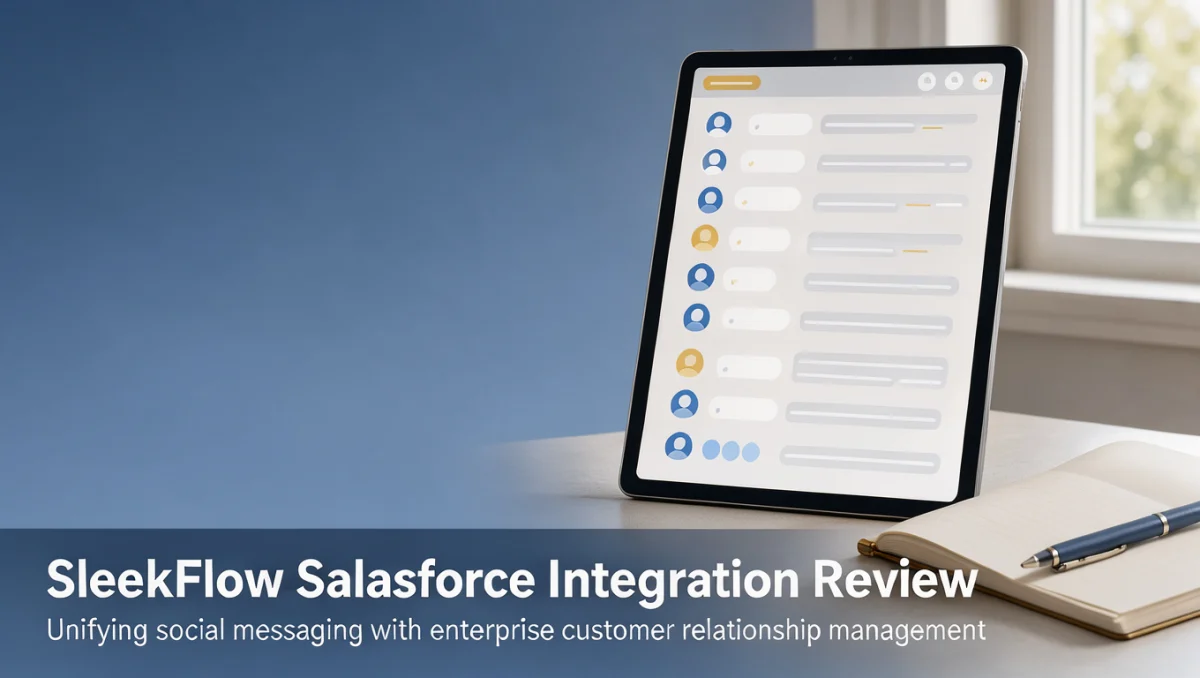
This feature centralizes chats from numerous messaging networks into one streamlined operational interface. Agents can efficiently assign incoming conversations, apply custom labels, and review previous chat histories without needing to open individual messaging apps. This consolidated interface is key for service teams to maintain consistent conversation monitoring throughout different team shifts.
Customer Record Synchronization
Customer record synchronization maps conversational contact data against corresponding customer entries within Salesforce. Phone numbers, conversation timestamps, and assigned agent notes are transferred between platforms based on configured data rules. It is essential for teams to verify on the official SleekFlow documentation how field mapping handles custom fields and potential data conflicts.
Automated Routing and Workflow Dispatch
Automated routing intelligently distributes inbound messages to the appropriate team members based on criteria like language, territory, or previous account ownership. When integrated with external customer records, conversational triggers can initiate task assignments and update stage milestones within your workflow. Organizations interested in workflow automation should explore insights on Artificial Intelligence to understand broader operational automation patterns.
Team Collaboration and Internal Notes
Collaboration features allow agents to tag colleagues and leave private internal comments directly within an active conversation thread. This internal collaboration ensures customers do not see backstage handoffs between junior representatives and technical specialists. Supervisors can also monitor interaction quality across active queues without disrupting the ongoing customer dialogue.
Ease of Use and Configuration

The operational interface for front-line agents features a familiar chat panel layout, minimizing initial training requirements. Representatives handling incoming chats can review conversational context on the left panel while viewing contact attributes on the right. New team members typically find the daily conversation view easy to navigate with minimal onboarding.
Conversely, administrative setup demands deliberate planning around data architecture and authentication protocols. Connecting enterprise database tables with social messaging channels requires careful mapping of standard fields, lead objects, and communication permissions. Organizations should allocate sufficient administrative preparation time during the initial onboarding phase.
Pros and Cons of the Integration
Operational Advantages
- Consolidates disparate social messaging conversations into a single, structured agent workspace.
- Reduces manual data entry by sending interaction notes directly to customer relationship management accounts.
- Enables clear team visibility through internal conversational comments and ticket assignment states.
- Provides supervisory oversight across messaging queues without requiring shared hardware or individual phone logins.
Practical Considerations
- Requires administrative expertise to configure field mapping between conversational channels and complex database objects.
- Subscription costs increase with the expansion of agent seating across multiple operational departments.
- Demands stable external network connectivity to ensure continuous data flow between platforms.
SleekFlow in Comparison to Similar Platforms
In the competitive customer communication management sector, platforms range from lightweight shared inboxes to complex enterprise engagement systems. Competitors like Respond.io focus heavily on social messaging automation and broad channel support for multinational sales teams. Tools such as Trengo often cater to regional small businesses seeking basic email and chat unification without deep enterprise database requirements.
Enterprise alternatives like MessageBird offer developer-centric communication APIs suitable for bespoke telecommunication infrastructure. SleekFlow strategically positions itself between flexible messaging inboxes and robust enterprise customer database connectivity. Buyers should compare these architectural approaches on official provider websites to determine if standard connector features align with their organizational scale.
Who Benefits Most from SleekFlow

Mid-sized and enterprise companies with established sales pipelines gain significant utility by connecting messaging channels to Salesforce. When regional teams conduct client discussions across chat applications, maintaining synchronized records is vital to prevent lost opportunities and ensure organizational compliance. Commercial sales teams particularly value tracking conversational milestones directly within opportunity records.
Conversely, solo freelancers and small local service businesses seldom require enterprise database synchronization. For individual operators, managing chats within standard mobile applications often avoids ongoing subscription overhead and complex field setup. Companies lacking a pre-configured Salesforce instance might also find standalone messaging platforms a more suitable starting point.
Choosing the Right SleekFlow Plan
| What to Check | Why It Matters |
|---|---|
| User Seat Allocations | Additional agent licenses directly impact the overall recurring operating expenditure. |
| Supported Messaging Connections | Different subscription tiers dictate which specific social channels can be linked to your account. |
| Synchronization Frequency Limits | Data transfer intervals influence how quickly updates are reflected in your customer records. |
| Custom Field Mapping Options | Complex account schemas necessitate flexible data mapping rules for seamless integration. |
Frequently Asked Questions
How Should Teams Prepare Their CRM Before Connecting Messaging Channels?
Teams should prioritize cleaning duplicate contact entries, defining standardized phone number formatting, and determining which fields require bidirectional updating. Establishing clear data governance rules before activating connectors is crucial to prevent data conflicts and field corruption across both platforms.
What Ongoing Administrative Responsibilities Follow Setup?
System administrators must periodically review field mapping rules, manage permissions for departing users, and ensure messaging channel tokens remain authenticated. Regular audits of contact synchronization histories are essential to confirm that interaction notes accurately attach to active sales accounts.
How Can Organizations Assess Compatibility with Existing Workflows?
Stakeholders should map standard customer journeys across messaging channels to identify key conversational handoff points. Reviewing official documentation regarding custom object support is vital to ensure proprietary sales stages align correctly with platform routing mechanisms.
What Factors Influence Total Software Expenditure Beyond Base Subscriptions?
Enterprise software deployments often incur additional expenses for connector licenses, carrier messaging fees, and dedicated administrative maintenance. Buyers should carefully review official pricing pages to account for potential add-on costs before completing procurement.
Final Verdict on SleekFlow Salesforce Integration
| Criterion | Score /10 | Reason |
|---|---|---|
| Features | 8.2 / 10 | Offers comprehensive inbox management, contact syncing, and robust internal collaboration tools. |
| Ease of Use | 7.8 / 10 | The front-line agent interface is intuitive; however, administrative configuration requires technical familiarity. |
| Pricing and Value | 7.0 / 10 | Buyers should verify multi-seat pricing tiers on official pages to accurately assess long-term value. |
| Integrations | 7.5 / 10 | Effectively connects social messaging channels with enterprise databases, though careful field mapping is necessary. |
| Audience Fit | 8.5 / 10 | An excellent match for mid-sized and enterprise commercial teams operating structured sales pipelines. |
| Support | 7.0 / 10 | Buyers should verify available assistance channels and service schedules directly with the vendor. |
| Competitive Position | 7.4 / 10 | Provides a dependable balance between omnichannel messaging flexibility and structured database record keeping. |
Overall Score: 7.6 / 10
For enterprise sales and support teams managing multi-channel customer communications, the sleekflow salesforce integration offers clear accountability and structured record management. Ensure your technical team thoroughly reviews the official SleekFlow pricing page and API documentation to confirm compatibility with your current schema before making a purchase decision.