While the allure of a foxit old version download might stem from familiarity or compatibility with older systems, it's crucial to understand the implications. Best Software Reviews evaluates whether resorting to legacy builds provides a reliable solution or introduces unforeseen challenges in 2026. Modern PDF management emphasizes secure, up-to-date software for optimal functionality and data protection.
Many sources offering older software versions lack official verification, posing significant security risks. For professionals engaged in Collaboration & Productivity, maintaining operational stability typically involves using officially supported software. Relying on current releases ensures access to the latest features and security patches, safeguarding sensitive documents.
Understanding Foxit's Core Functionality
Foxit is a robust application designed for comprehensive PDF editing, creation, and management. It caters to professionals who regularly handle digital documents, including administrative staff, business owners, legal practitioners, and academic researchers. The software provides specialized tools to organize pages, modify content, and manage standardized document formats efficiently.
It addresses common workflow issues, such as the need to edit scanned documents or maintain the formatting of complex text files. By offering a dedicated environment for document handling, Foxit helps teams streamline processes like contract review, portfolio compilation, and record archiving.
Document Interaction and Navigation
Efficiently navigating large documents is facilitated by responsive rendering and organized thumbnail views. Users can easily browse through extensive files, jump to specific sections using bookmarks, and zoom in on intricate details without experiencing lag. This capability is vital for reviewing lengthy legal documents or technical manuals.
Content Editing and Text Refinement
The ability to modify text and embedded images directly within a PDF is a cornerstone feature. Users can alter fonts, correct spelling errors, reflow paragraphs, and reposition visual elements, eliminating the need to recreate documents from scratch. This is particularly useful when the original editable source files are unavailable.
File Conversion and Assembly
Foxit's conversion capabilities allow seamless transitions between PDF and various common office formats, preserving the original layout structure. Users can transform presentations, spreadsheets, and text files into standardized PDF documents. Furthermore, the software enables the merging of multiple separate files into a single, cohesive document for presentations or reports.
Form Management and Digital Signatures
Interactive form management simplifies data collection and approval processes. Teams can fill existing form fields, create new fillable areas, and digitally sign documents to finalize agreements. These features reduce reliance on traditional printing and scanning methods for business transactions.
Assessing Usability and Learning Curve
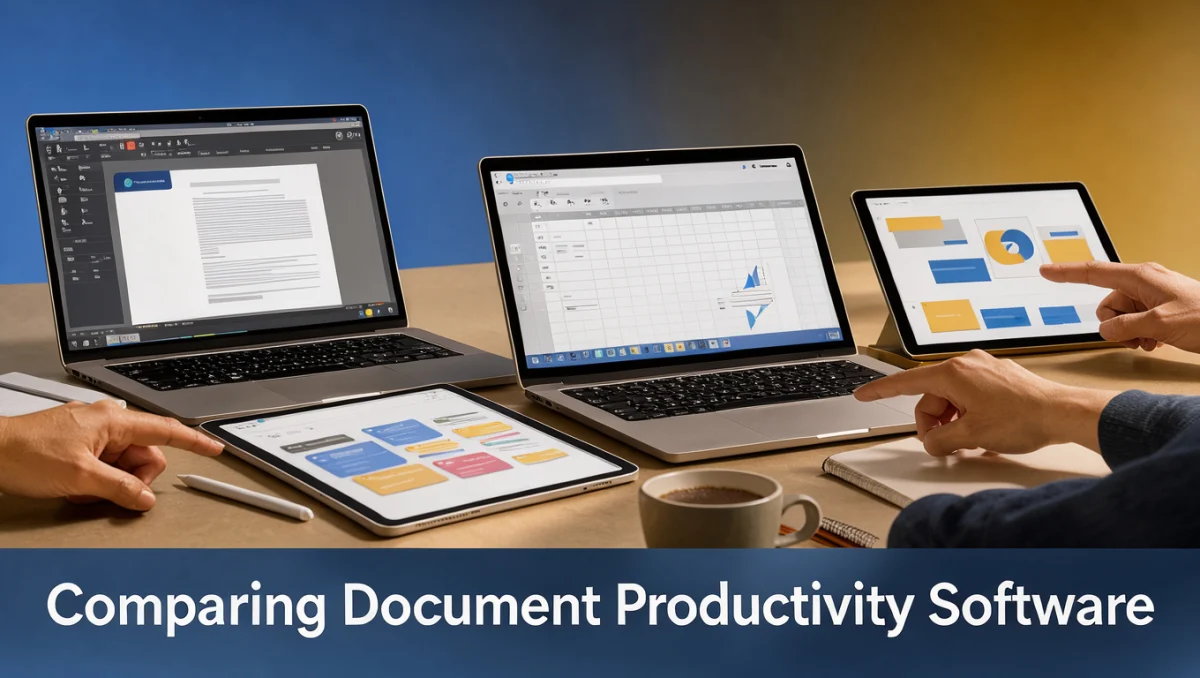
While adopting new software often involves an initial learning phase, Foxit's interface is designed for intuitive use. It employs a familiar ribbon layout, similar to other office productivity suites, enabling users to quickly identify and access core functionalities. Common tasks like highlighting text, adding notes, or rotating pages are easily managed.
More advanced features, such as creating interactive calculation fields or performing redactions, may require consulting the official documentation. It is advisable for organizations to review interface updates on the official foxit old version download information before adopting new versions to ensure staff are prepared for any workflow adjustments.
Advantages and Drawbacks of Foxit
Key Strengths
- Intuitive ribbon interface accelerates daily tasks.
- Comprehensive functions for page arrangement, extraction, and compilation.
- Robust form design tools suitable for administrative needs.
- Efficient direct document conversion maintaining layout integrity.
Considerations and Limitations
- Using an older release may lead to file format incompatibilities with current standards.
- Third-party archives hosting older installers could contain unverified or malicious software.
- Official support typically prioritizes current software versions over retired builds.
Comparison with Competing Software
The document productivity landscape features several established solutions, each with distinct positioning:
| Software | Best For | Core Positioning | Key Consideration |
|---|---|---|---|
| Foxit | Dedicated PDF editing and conversion needs | Specialized PDF creation, editing, and form handling | Verify official channels for legacy system compatibility |
| Adobe Acrobat | Enterprise-wide document workflows | Comprehensive PDF platform with extensive deployment options | Manage subscriptions through vendor portals |
| Nitro | Streamlined business document productivity | Alternative for office document creation and signing | Check current editions for feature availability |
Adobe Acrobat is a staple for enterprises integrated into established publishing ecosystems. Nitro offers a streamlined alternative for business teams focused on document creation and signing. Foxit strikes a balance, providing specialized tools for PDF manipulation and document restructuring suitable for daily corporate tasks.
Ideal User Scenarios for Foxit
Small Businesses and Administrators
Office managers can efficiently combine invoices, prepare customer agreements, and edit vendor contracts without needing separate design software. An all-in-one PDF utility reduces printing needs and speeds up document processing.
Freelancers and Solo Professionals
Independent professionals delivering proposals, creative briefs, and client reports benefit from Foxit's ability to create polished, professional documents. Features like document locking and section organization enhance client deliverables.
Academic Researchers and Students
The software is effective for annotating research papers, extracting specific pages, and compiling reading materials. Its bookmarking and text markup functions are invaluable for managing dense study resources.
When Alternative Solutions are Preferable
For individuals who only need to open and read PDF files occasionally, dedicated editing software is unnecessary. Modern web browsers and built-in operating system viewers can handle simple PDF viewing tasks effectively.
Selecting the Right Plan and Distribution Channel
Choosing the correct software license involves assessing practical operational requirements:
| Official Website Checks | Importance |
|---|---|
| Supported operating systems | Ensures compatibility without relying on outdated builds. |
| License type (perpetual vs. subscription) | Clarifies long-term cost for individuals or teams. |
| Multi-user management | Determines administrative efficiency for growing departments. |
| Electronic signature limits | Confirms alignment with business approval frequency. |
Frequently Asked Questions
Why do users seek older software versions?
Users may seek legacy versions due to compatibility with older operating systems, a preference for familiar interfaces, or a desire to avoid recent UI changes. However, outdated software can introduce rendering errors and security vulnerabilities.
What are the risks of unofficial software downloads?
Downloading software from unofficial sources can expose systems to modified packages, potentially including malware or unwanted programs. These sites often provide outdated builds lacking crucial security patches. Always obtain installation files from official distribution portals.
How can organizations manage hardware compatibility?
Organizations with older hardware should verify software system requirements on the official vendor specifications. Many publishers offer lightweight viewer options or system-friendly packages suitable for modest hardware without compromising safety.
Where can current licensing terms be verified?
Current subscription terms and perpetual license offerings can be verified on the official Collaboration & Productivity pricing and product comparison pages. Vendor websites provide the most up-to-date information.
Conclusion
Foxit offers a competent and well-rounded environment for creating, editing, and managing business documents. Instead of pursuing an unverified legacy release, users benefit from greater stability and security by utilizing supported software versions that ensure full file compatibility. For reliable document editing, exploring modern installation options through official vendor channels is recommended over deploying deprecated files.
| Criterion | Score /10 | Reason |
|---|---|---|
| Features | 8.5/10 | Comprehensive tools for editing, conversion, and assembly. |
| Ease of Use | 8.0/10 | Familiar ribbon layout enables quick task completion. |
| Pricing and Value | 7.5/10 | Verify recurring costs and license terms on official pages. |
| Integrations | 7.0/10 | Confirm workflow compatibility via vendor documentation. |
| Audience Fit | 8.5/10 | Suitable for professionals, administrators, and researchers. |
| Support | 7.0/10 | Assistance resources focus primarily on current releases. |
| Competitive Position | 8.0/10 | A dependable alternative to established PDF editors. |
Overall score: 7.8/10
For teams requiring dependable document editing solutions, we strongly advise consulting Best Software Reviews for modern installation options on official vendor channels, rather than risking the use of outdated files.