Community discussions on glide reddit often highlight the platform's capability to transform structured data into functional web applications without traditional coding. Users frequently seek clarity on whether Glide's no-code approach is practical for business workflows or confined to simple project tracking.
At Best Software Reviews, we rigorously assess business software. This review examines Glide's utility for modern operations teams and guides you on factors to consider before investment.
Quick verdict: Glide scores 8.1/10. It's ideal for operations teams and businesses needing internal software without custom code. It's less suitable for highly bespoke consumer applications or complex backend architectures.
| Evaluation Dimension | Summary Assessment |
|---|---|
| bestsoftwarereviews score | 8.1/10 |
| Best for | Operations managers and departmental leads building internal portals, inventory trackers, and team directories |
| Not ideal for | Organizations needing native mobile distribution through public app storefronts or highly complex transactional backends |
| Key strengths | Fast data-driven interface assembly, structured relational table support, and clear visual organization |
| What to check before buying | Review official plan terms for active user thresholds, monthly update allowances, and private database storage limits |
Understanding Glide's Development Capabilities
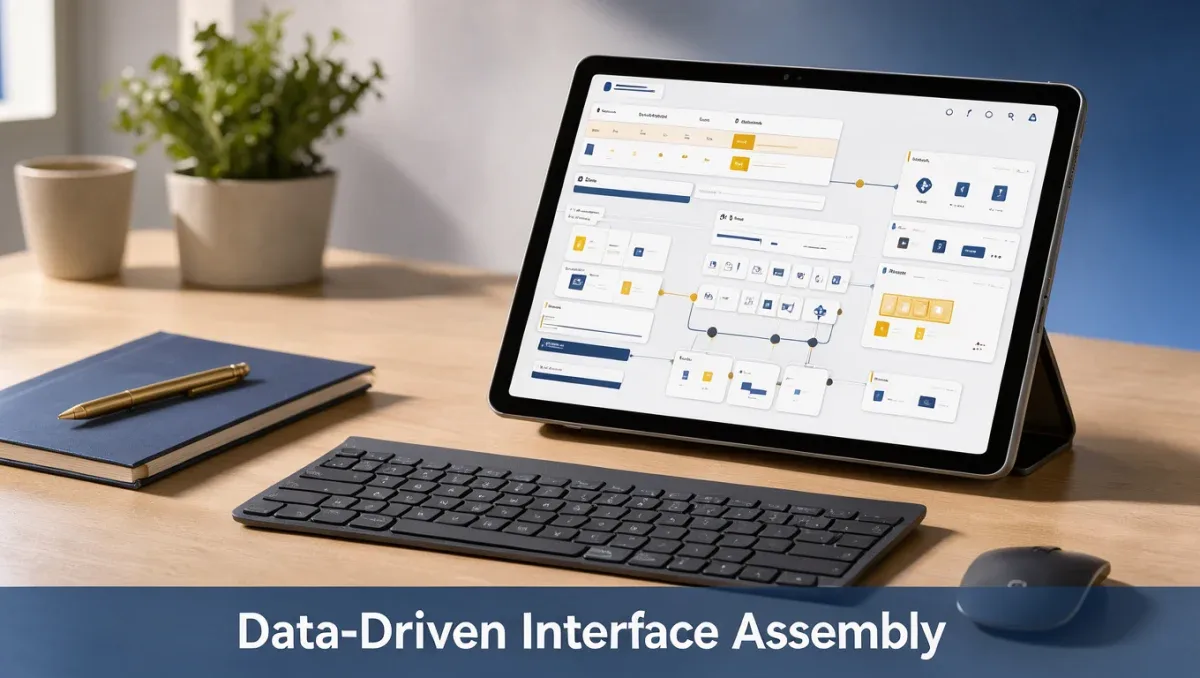
Glide operates as an application generation platform within the Development category, converting existing business tables into responsive user interfaces. It empowers non-technical teams to build tools directly on top of structured data, bypassing the complexities of manual front-end programming.
Glide is designed for business users managing operational data who may not have dedicated software engineering teams. Common users include operations managers for asset tracking, agency leaders for client updates, and HR teams for staff directories.
Leveraging Glide for Daily Administration
Many glide reddit threads address how the software handles day-to-day administrative tasks. Glide's core functions revolve around data connectivity, interface composition, and user-based data presentation.
Data Harmonization and Record Interconnection
Glide connects to existing tabular datasets and allows users to establish relationships between multiple tables. This enables linking customer accounts to order history, assigning assets to employees, or attaching documents to client records.
Intuitive Screen Design and Component Integration
The platform allows creators to assemble user interfaces using configurable components like lists, cards, and forms. Instead of coding visual layouts, builders map component fields directly to data columns, enabling real-time record updates.
Access Control and Dynamic Display
Glide supports conditional visibility rules, restricting access to screens or editing capabilities based on user identity. This ensures field personnel see only relevant regional data while supervisors maintain broader oversight.
Assessing Glide's Usability and Learning Curve

For those familiar with organizing data in spreadsheets, Glide offers a gentle learning curve. It eliminates the need to understand hosting, server management, or database schemas, allowing for relatively rapid creation of structured interfaces.
| User Profile | Initial Learning Curve | Typical Time to First Working Layout |
|---|---|---|
| Spreadsheet-fluent managers | Low friction; concepts like columns and lookups translate directly | Under three days of testing |
| Non-technical staff | Moderate; requires understanding row-level relational links | Between four and seven days |
| Traditional programmers | Low technical difficulty, but requires adapting to opinionated layout limits | Under two days |
A Practical Glide Evaluation Framework
To determine if Glide meets your needs, implement a structured evaluation protocol. Consider this two-week plan:
- Days 1-3: Foundational Data Modeling. Prepare a spreadsheet with two linked tables (e.g., clients and projects). Import and verify relational links.
- Days 4-7: Component Validation and Workflows. Build an intake form and summary screen. Test mobile data submission to the source table.
- Days 8-11: Access Rule Testing. Configure two test accounts with different permissions to ensure restricted records are hidden.
- Days 12-14: Team Trial and Capacity Check. Invite colleagues for routine updates. Note any latency and review pricing for future costs.
Glide's Strengths and Limitations
Evaluating no-code builders involves balancing speed with design flexibility. Consider Glide's general strengths and functional boundaries:
| Operational Area | Shines when | May fall short when |
|---|---|---|
| Internal operational tools | Rapid utility without intricate layout design is needed | Complex offline-first database synchronization is a workflow requirement |
| Visual customization | Clean, consistent corporate layouts meet internal needs | Pixel-level control over animations and typography is demanded |
| Data architecture | Workflows rely on standard relational rows and tabular inputs | Systems require multi-threaded background scripts or custom server logic |
Comparative Analysis of Application Builders
Understanding Glide's market position clarifies its suitability for specific project needs. Other comparable tools have different core focuses:
| Tool | Best for | Core focus |
|---|---|---|
| Glide | Internal team portals and structured data trackers | Opinionated interface generation directly from tabular datasets |
| Bubble | Complex web applications requiring custom databases | Visual programming with deep logic workflows and open canvas design |
| Airtable | Collaborative operations planning and project management | Relational database grids with embedded views and visual interface blocks |
Who Benefits Most from Glide?
Organizations should confirm Glide's suitability based on their technical expertise and operational scale.
| User Category | Suitability Status | Primary Consideration |
|---|---|---|
| Operations managers | Recommended | Streamlines internal processes without development queues |
| Small business owners | Recommended | Centralizes customer logs, dispatch records, and trackers efficiently |
| Corporate office workers | Recommended | Replaces static spreadsheets with interactive self-service portals |
| Professional developers | Situational | Effective for rapid prototyping, limited for deep custom code |
| Public-facing mobile startups | Not recommended | Less suited for native mobile app distribution |
Glide Pricing Overview
Glide uses a subscription model with tiered functionality. Before purchasing, verify these factors on the official Glide website:
- User Seat Categories: Understand how plans differentiate between internal and external users, as this impacts monthly costs.
- Data Volume Thresholds: Check row limits and file attachment capacities for each subscription tier.
- Data Refresh Rates: Review synchronization frequency to ensure it meets operational tempo.
Frequently Asked Questions about Glide
Which teams gain the most from Glide?
Internal operations teams, project coordinators, and service businesses benefit significantly. Companies using spreadsheets can quickly launch portals without waiting for development resources.
What are the technical prerequisites for using Glide?
Users should grasp basic data organization concepts like columns, unique keys, and relational lookups. Spreadsheet familiarity provides a sufficient foundation.
When should an alternative development tool be chosen?
Projects demanding extensive visual freedom, complex server-side automation, or native mobile app distribution via app stores should explore platforms built for deep customization.
How should buyers prepare for a paid tier upgrade?
Calculate expected monthly users, estimate database growth, and map required integrations. Reviewing these against vendor documentation ensures predictable costs.
Final Assessment of Glide
Glide provides a practical path for teams automating operations with internal software. Its design approach reduces technical hurdles for non-developers, and its data structure supports reliable workflows. However, users must weigh these benefits against design limitations and confirm subscription details directly with the vendor.
| Evaluation Criterion | bestsoftwarereviews Score | Evaluation Rationale |
|---|---|---|
| Features | 8.0/10 | Comprehensive core capabilities for relational linking, forms, and role-based viewing |
| Ease of Use | 8.8/10 | Component-driven layout building shortens setup for spreadsheet users |
| Pricing and Value | Confirm before buying | Assess active user allowances against operational budgets |
| Integrations | Confirm before buying | Verify support for your company database via the official data source list |
| Audience Fit | 8.2/10 | Aligns with operational demands of small businesses, agencies, and departmental teams |
| Support | Confirm before buying | Verify direct assistance channels and response commitments |
| Competitive Position | 7.5/10 | Niche for rapid internal apps despite strong no-code competition |
| Overall score | 8.1/10 | Reliable utility for internal workflows with noted layout constraints |
Have questions about software selection? Contact the Best Software Reviews team or follow us on LinkedIn for updates.