Understanding the Core Differences
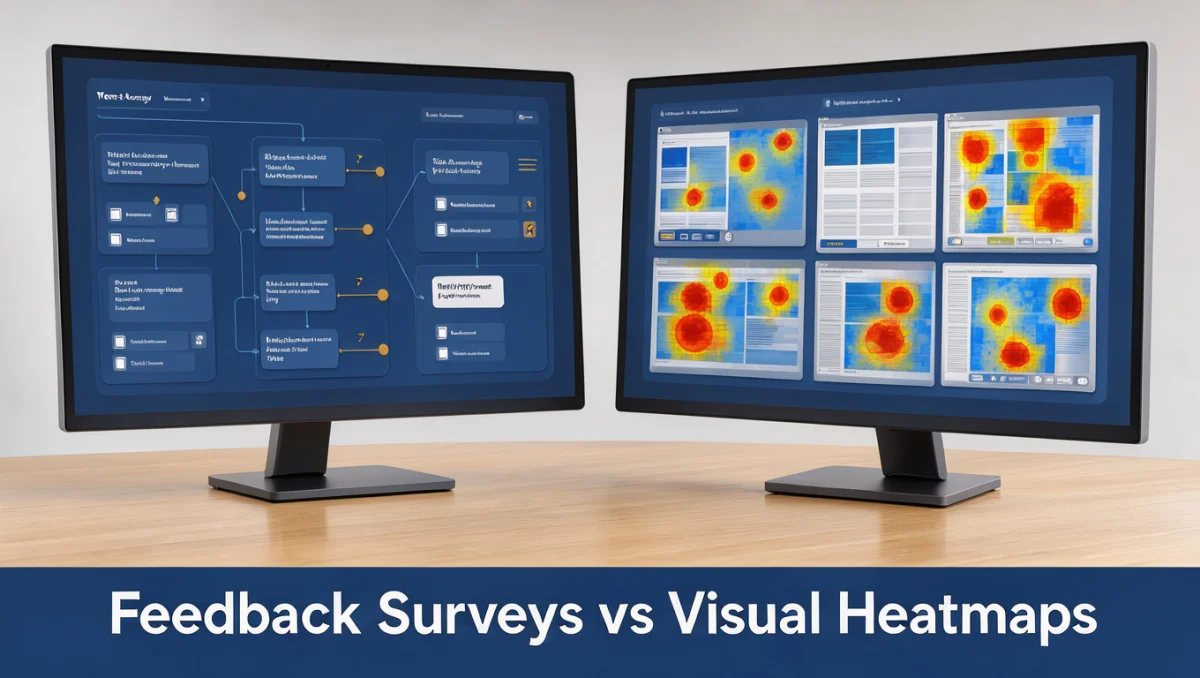
When evaluating Survicate vs Hotjar, it's crucial to recognize their distinct primary functions. Survicate excels as a dedicated platform for structured survey deployment across various digital touchpoints, focusing on collecting direct customer input. In contrast, Hotjar specializes in visual behavioral analytics, offering tools like heatmaps and session recordings to understand user interaction on websites, complemented by quick feedback widgets.
The choice hinges on whether your team prioritizes asking targeted questions or observing user navigation and behavior visually. At Best Software Reviews, we aim to clarify how each platform fits different research methodologies, enabling informed decisions for your software investment.
Key Distinctions in Functionality

The fundamental divergence between Survicate and Hotjar lies in their core research approach. Survicate is purpose-built for comprehensive customer surveys, designed to gather explicit qualitative and quantitative responses. Hotjar, on the other hand, functions as a behavioral analytics suite, combining visual insights with tools for capturing user feedback on-site.
For organizations aiming to conduct in-depth satisfaction studies, Net Promoter Score (NPS) surveys, and structured questionnaires via web, product, or email, Survicate offers a well-aligned solution. Conversely, product managers and designers needing to analyze user clicks, scroll depth, and points of hesitation on specific page layouts will find Hotjar's visual tools invaluable. Selecting the appropriate platform is vital for yielding actionable data in modern Customer Service and product development processes.
Feature Comparison: Surveys vs. Behavior Analytics
A detailed feature comparison reveals that Survicate concentrates on the creation and distribution of surveys. It allows for the deployment of question sets across websites, within web applications, and via email campaigns. Advanced logic can be configured to present follow-up questions based on previous answers, creating tailored research experiences. Feedback widgets can be triggered by specific user events or milestones in the customer journey.
Hotjar's feedback mechanisms are typically in the form of micro-surveys and visual reaction widgets. Users can rate elements, submit brief text comments, or complete short forms while browsing. While Hotjar supports direct questions, its survey features are generally oriented towards immediate on-site impressions rather than complex, multi-channel research workflows.
Regarding behavioral tracking, Hotjar provides specialized tools for observing user actions without direct input. Its primary offerings include dynamic heatmaps that aggregate clicks, cursor movements, and scroll depth across various screen sizes. Session replays allow teams to watch anonymized recordings of actual user visits, identifying points of friction, errors, or drop-offs in conversion funnels.
Survicate does not offer native session recording or heatmap functionalities. The platform's philosophy centers on direct communication from users. If session replays are a requirement, organizations would need to choose Hotjar or integrate Survicate with a separate behavioral tracking product.
Ease of Use and Implementation
The user-friendliness of these platforms significantly impacts the speed at which teams can launch studies and interpret findings.
Setup and Daily Operation
Both platforms necessitate the insertion of a tracking script on websites or applications to initiate data collection. Post-installation, administrative interfaces guide campaign configuration and launch.
Survicate features a streamlined interface focused on survey authoring, question styling, and trigger settings. Marketers and customer support managers can easily assemble questionnaires, define audience targeting, and review aggregated response charts with minimal technical intervention.
Hotjar presents an intuitive visual dashboard for viewing aggregate heatmaps, filtering session recordings, and launching feedback widgets. Navigating heatmaps is straightforward due to immediate visual overlays highlighting popular page areas. However, reviewing session recordings effectively requires dedicated time for filtering and observing user journeys.
Pricing Structure and Value Assessment
The pricing models for feedback and behavioral analytics platforms differ based on data volume and tracking frequency.
Evaluating Return on Investment
Software purchasers should carefully examine how usage is metered across different subscription tiers. Survey tools often measure consumption by completed responses, active surveys, or user seats. Behavioral tracking tools typically measure by daily session recordings, tracked pageviews, or data retention periods.
Before committing, teams should verify response limits and seat allocations on the official Survicate pricing page. Similarly, reviewing the official Hotjar pricing page is essential to understand session recording caps and heatmap tracking rates relative to site traffic. Calculating expected monthly visitors and desired response volumes helps avoid unexpected upgrades.
Integration Capabilities
Connecting customer research data with product management, customer support, and marketing databases ensures that feedback reaches the relevant teams.
Workflow Connectivity
Survicate emphasizes exporting survey responses to external business tools. Survey data can be integrated into CRM platforms, support desks, and collaboration tools to update user profiles or alert account managers to negative feedback. Specific connector availability should be confirmed on the official Survicate website.
Hotjar focuses on integrating behavioral insights with web optimization and analytics stacks. Teams frequently link Hotjar data with A/B testing tools, issue tracking platforms, and communication channels to share recording links when bugs are identified. Prospective users should check the official Hotjar website for supported data destinations.
Audience Fit and Use Case Scenarios
The suitability of Survicate or Hotjar for your organization depends on internal roles and immediate research needs.
When Survicate is the Better Choice
Survicate is ideal for customer experience professionals, support leads, and retention managers who need to track structured satisfaction metrics consistently. If your roadmap includes collecting customer effort scores after support interactions, running continuous Net Promoter Score tracking, or sending onboarding feedback surveys via email, Survicate aligns well with these operations.
When Hotjar is the Preferred Solution
Hotjar is highly recommended for user experience designers, conversion rate optimization specialists, and web developers who need to pinpoint visual design flaws. If your team is redesigning landing pages, investigating checkout abandonment, or trying to understand why visitors overlook specific navigation buttons, Hotjar provides the necessary visual context to diagnose layout issues.
Support and Vendor Reliability
Access to technical assistance and dependable documentation is vital for managing customer-facing scripts and data capture pipelines.
Account Assistance Considerations
Given that code implementation issues can affect site performance or data accuracy, buyers should assess available vendor resources. Most vendors offer self-serve documentation, knowledge bases, and direct support channels that vary by subscription level. Reviewing the official support policies for both platforms clarifies response time commitments and onboarding assistance.
Final Decision Framework
To decide between these tools, consider the following workflow based on your organization's needs:
- Identify primary insight requirements: determine if your team needs direct verbal feedback or visual observation of user behavior.
- Audit distribution channels: assess whether feedback collection must span email and product dashboards or be confined to web pages.
- Estimate data volume: calculate expected monthly site traffic and target survey completion numbers.
- Review subscription details: visit the official Survicate and Hotjar websites to compare data retention, response caps, and user seats against your budget.
- Confirm technical prerequisites: ensure your engineering team can install tracking snippets and that data governance standards align with operational policies.
Frequently Asked Questions
Surveys or Behavioral Recordings: Which Do We Need?
Examine the questions your team needs answered. If you're curious about why users choose specific options or their satisfaction post-onboarding, structured survey tools offer explicit verbal feedback. If you need to know where users click, how far they scroll, or why they abandon checkout pages, behavioral recording software provides visual clarity.
Data Retention Policies: What to Check
Confirm on official vendor websites how long historical survey responses and session recordings are stored. Recording data often requires significant storage, leading vendors to limit retention windows on standard tiers. Understanding these limits ensures historical data remains accessible for analysis.
Using Both Survey and Session Replay Software
Many organizations deploy both types of tools simultaneously for balanced qualitative and observational data. Survey software captures what customers say, while recording software reveals what visitors actually do. Teams pursuing this approach should budget for multiple tools and ensure tracking scripts operate harmoniously.
Ongoing Costs of Customer Insight Software
Ongoing subscription costs are heavily influenced by website traffic volume, monthly survey completion targets, and required user logins. Additional expenses may arise from expanding data retention or adding advanced audience segmentation. Reviewing official plan details prevents budget surprises as site traffic grows.
Conclusion: Making the Right Choice
Survicate and Hotjar address different facets of the customer experience. Survicate offers structured survey capabilities for teams seeking direct answers across user touchpoints. Hotjar provides visual heatmaps and session recordings for teams evaluating layout usability and page engagement. Comparing their capabilities provides a clear path for decision-making.
For teams prioritizing customer satisfaction tracking, product feedback questionnaires, and structured journey surveys, Survicate is a practical choice. For teams needing visual evidence of user friction, click patterns, and visitor hesitation on websites, Hotjar is the recommended solution.