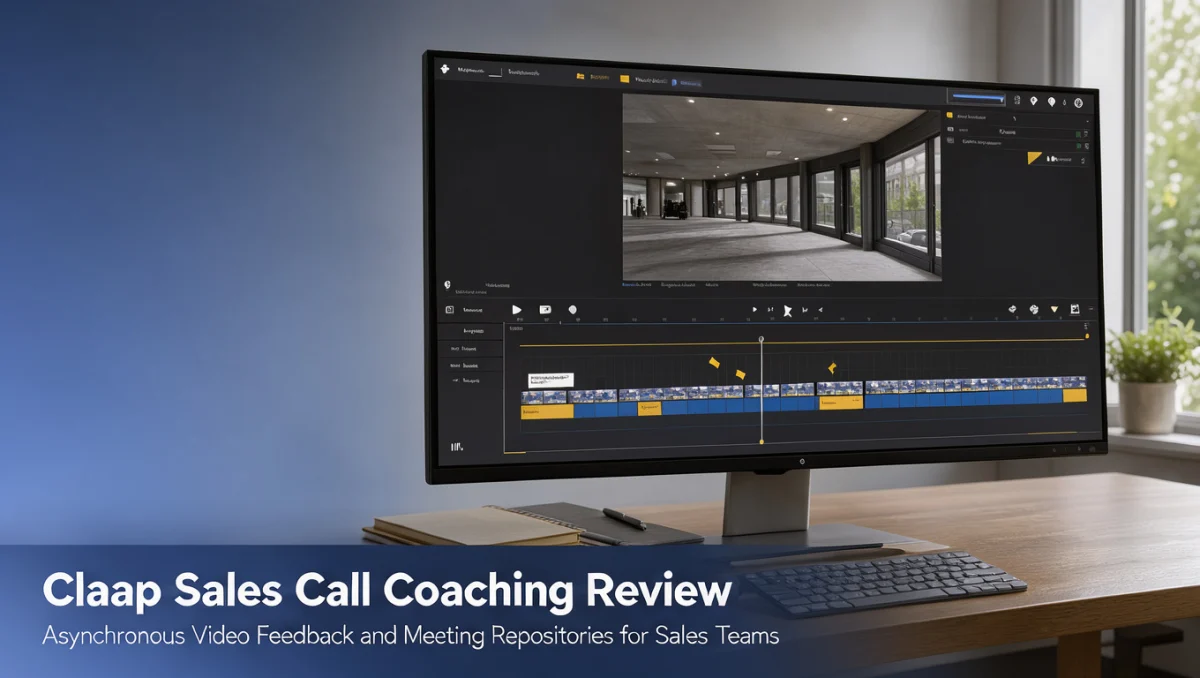
Claap sales call coaching revolutionizes how sales teams improve performance by focusing on recording client interactions, extracting key discussion points, and allowing managers to provide targeted feedback directly within meeting timelines. This review delves into how sales leaders leverage this platform to accelerate onboarding and standardize sales pitches across dispersed teams.
Understanding Claap for Sales Enablement
Claap functions as a unified video workspace, integrating screen recording, meeting capture, and video sharing. Sales managers utilize it to monitor sales representative interactions with potential clients, add inline comments, and create a valuable library of best practices for new hires. This approach helps move beyond repetitive, synchronous call reviews, embracing asynchronous video and a searchable meeting library.
The primary users include sales development representatives, account executives, and customer success specialists. The software empowers these professionals to share concise video updates or analyze recorded client discussions without needing to schedule real-time review sessions, thus overcoming time zone challenges. For teams adopting tools within Artificial Intelligence, Claap’s automated call transcription transforms spoken content into text, enabling managers to quickly scan interactions instead of listening to entire recordings.
Key Features for Enhancing Sales Calls
Effective call coaching platforms are built on pillars that support capturing conversations, transcribing dialogue, offering asynchronous guidance, and managing knowledge centrally. Claap organizes these functionalities through its video collaboration features.
Meeting Capture and Screen Recording
Reliable capture of prospect discussions is fundamental to call coaching. Claap records client meetings, and sales representatives can also record short screen presentations for follow-up communications. This dual capability allows sales professionals to explain proposals or demonstrate product features using screen recordings alongside call recordings, supporting both internal coaching and external client engagement.
Automated Transcription for Searchability
Transcribing spoken dialogue into synchronized text enables reviewers to navigate customer objections without replaying entire conversations. Users can find specific client questions or mentions of competitors by searching transcribed keywords. This searchable transcript allows coaches to quickly pinpoint critical pricing inquiries or contract negotiations, saving significant time compared to manual review of lengthy dialogues.
Timeline-Based Feedback and Annotations
Asynchronous feedback is central to Claap's coaching workflow. Managers can add comments, questions, and reactions at precise moments on the video playback timeline. Sales representatives receive notifications directing them to specific feedback points. This method provides coaching directly on the exact phrase or slide where a customer raised a concern, offering more specific guidance than general advice.
Organized Team Workspaces and Playlists
Structuring recorded conversations into curated collections ensures that successful client calls benefit the entire team. Sales leaders can create collections of exemplary discovery calls, product demonstrations, and negotiation tactics. New representatives can study these collections during their initial training to learn how experienced team members handle complex customer queries. Centralizing these recordings prevents valuable insights from being confined to individual accounts.
User Experience and Team Adoption
Successful adoption of new software within sales teams hinges on an intuitive interface. Claap features a user-friendly, video-centric design familiar to users of modern team messaging and video platforms. Navigating between recorded meetings, personal clips, and shared folders requires minimal technical instruction. The primary adjustment for teams involves establishing a consistent routine for asynchronous review, with sales managers setting clear expectations for comment response times and playlist organization to maintain a structured repository.
Pros and Cons for Sales Coaching

Evaluating Claap's strengths and limitations helps potential buyers determine its suitability for their coaching practices.
Key Advantages
- Feedback is contextually linked to specific video timestamps, ensuring advice is focused and actionable.
- The combination of meeting capture and asynchronous screen recording supports both internal training and external prospect follow-ups.
- A clean navigation interface makes reviewing conversations accessible for both representatives and managers.
- Centralized video repositories facilitate faster onboarding for new representatives using real customer interactions.
Practical Limitations
- For enterprise sales teams needing predictive deal scoring and pipeline risk indicators, specialized revenue intelligence suites may offer more depth.
- Organizations with high meeting volumes across multiple regions should verify transcription accuracy for all relevant languages on the vendor’s official site.
- Video storage capacity and participant access levels are dependent on the subscription plan, making it crucial to calculate total costs before deployment.
Claap in Comparison to Competitors
When evaluating call coaching software, it's important to understand Claap's position within the broader market of conversation intelligence and video messaging tools.
| Platform | Core Focus | Best Suited For | Strategic Consideration |
|---|---|---|---|
| Claap | Collaborative video, meeting recordings, and timestamped feedback | Teams prioritizing lightweight asynchronous feedback and shared video repositories | Assess if basic coaching needs or advanced deal telemetry are primary requirements. |
| Gong | Enterprise revenue intelligence and predictive pipeline analytics | Large organizations seeking comprehensive deal risk modeling | Requires significant enterprise investment and specialized administration. |
| Chorus by ZoomInfo | Conversation intelligence integrated with extensive contact databases | Sales teams focused on database enrichment for outbound efforts | Designed for larger, established commercial revenue structures. |
| Loom | Rapid asynchronous video messaging and screen sharing | General workplace communication and brief presentation clips | Emphasizes ad-hoc video messages over structured coaching playlists. |
Buyers should compare platforms centered on team video collaboration with dedicated revenue analytics tools. While Gong and Chorus focus on extensive pipeline monitoring, Claap excels in video collaboration, commentary, and accessible team communication.
Who Should Utilize Claap for Coaching?
Matching platform capabilities with a team's operational realities ensures that the software provides genuine value in daily sales activities. Consider using claap sales call coaching if your team falls into these categories:
Recommended User Groups
- Growing Sales Teams: Early-stage and expanding teams that need to train representatives effectively without investing in complex enterprise analytics suites.
- Distributed and Remote Sales Teams: Revenue organizations operating across different time zones that benefit from asynchronous, detailed feedback provided via timestamps.
- Customer Success and Onboarding Teams: Groups that review client handoff calls and onboarding milestones through shared video documentation.
When to Look at Other Options
Organizations that require automated revenue forecasting algorithms, which analyze customer sentiment to adjust financial outlooks, may find that collaborative video workspaces alone are insufficient. These enterprises typically need deep pipeline telemetry and should explore dedicated revenue intelligence platforms.
Selecting the Right Claap Plan

Choosing the right software involves aligning team operational needs with vendor packaging. When evaluating options, conduct a thorough audit before making a financial commitment. For the most current details, always refer to the official Claap pricing page.
| What to Verify on the Official Page | Importance | Impacted Team |
|---|---|---|
| User seat definitions | Understanding the difference between active recording seats and view-only reviewers is crucial for managing license costs. | Finance and Sales Management |
| Recording length and storage limits | High call volumes can exceed storage capacities if archive retention policies are strict. | Sales Operations |
| Transcription accuracy and language support | International sales operations require reliable transcription across all spoken languages used by prospects. | Global Commercial Teams |
| Workspace privacy and sharing controls | Restricting access to sensitive enterprise client discussions is vital for maintaining commercial privacy. | Legal and Compliance |
Prospective customers should visit the official Claap pricing page to review current seat configurations and plan inclusions. Ensuring that view-only reviewers do not incur unnecessary seat charges helps maintain a sustainable software budget.
Frequently Asked Questions
What are the main coaching workflows supported by Claap?
Claap enables sales managers to review recorded client meetings, access automated transcripts, and add timestamped annotations directly on the video timeline. Representatives can then review these notes asynchronously and replay specific segments to refine their responses to sales objections.
How does asynchronous coaching differ from live shadowing?
Asynchronous coaching allows sales managers to review customer calls during their own dedicated time, rather than attending live sessions. Representatives receive detailed feedback linked to exact video moments without the need to coordinate overlapping calendar schedules.
What additional costs should sales teams consider beyond software subscriptions?
Beyond subscription fees, teams should budget for internal training time, administrative effort required to set up team playlist frameworks, and potentially secondary licenses for team members who provide occasional feedback throughout the customer lifecycle.
How can teams assess if lightweight coaching tools meet their needs?
Teams should consider whether their primary challenges lie in pitch consistency and representative onboarding, or in complex pipeline risk reporting. If the main need is feedback on messaging delivery, collaborative video workspaces offer immediate value without significant administrative overhead.
Final Thoughts
Claap provides a practical system for sales call coaching by integrating automated transcription, meeting archives, and timeline-based feedback. Commercial teams that prioritize collaborative learning and clear communication among peers will find the software easy to adopt. It's a strong option for growing sales groups looking to analyze prospect conversations, deliver constructive feedback, and onboard new representatives efficiently.
| Criterion | Score /10 | Reason |
|---|---|---|
| Features | 7.8/10 | Offers reliable meeting capture, video timelines, and collaborative annotation tools. |
| Ease of Use | 8.4/10 | A minimal learning curve allows representatives to quickly share recordings and review manager comments. |
| Pricing and Value | 7.2/10 | Buyers must confirm how seat types and storage allowances scale with team growth. |
| Integrations | 7.0/10 | Connects with standard communication tools; enterprise data mapping should be verified. |
| Audience Fit | 8.1/10 | Highly suitable for distributed commercial groups seeking streamlined coaching processes. |
| Support | 7.1/10 | Standard vendor channels assist users; service response levels are detailed on official tiers. |
| Competitive Position | 7.4/10 | Holds a strong niche in video collaboration, leaving complex pipeline analysis to enterprise suites. |
Overall score: 7.6/10. Before purchasing, verify user seat allocations, language transcription support, and archive limits on the official Claap website. For more insights, explore Best Software Reviews.