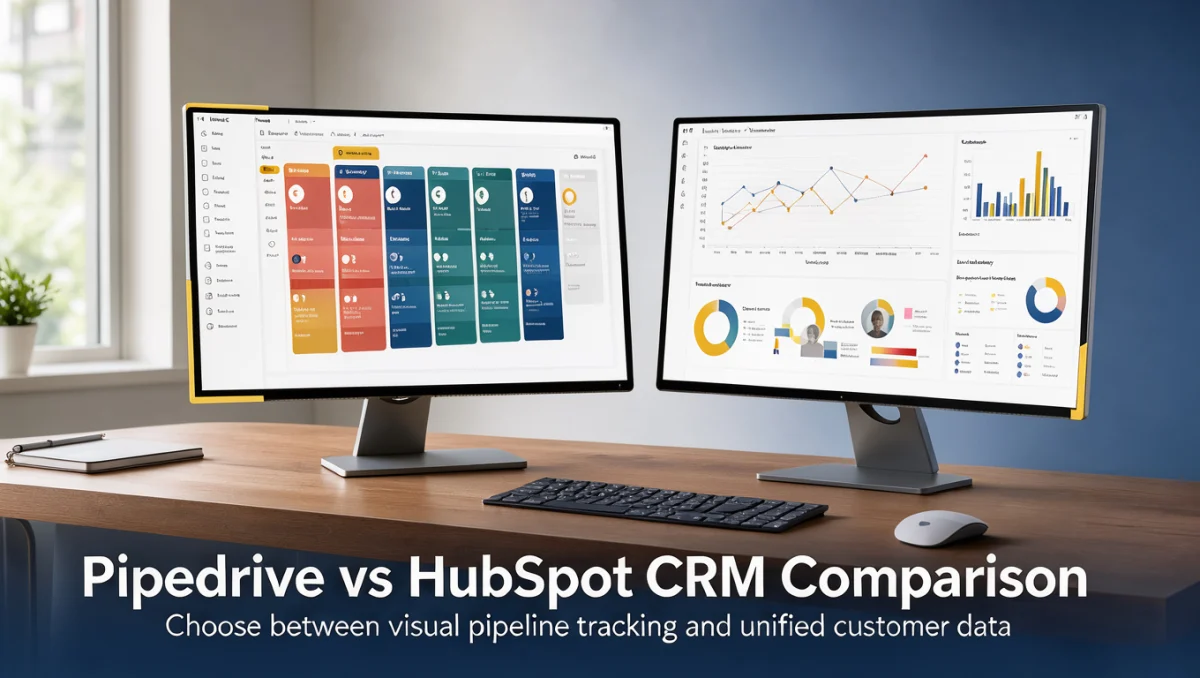
Choosing between Pipedrive and HubSpot CRM involves deciding between a specialized sales pipeline tool and a comprehensive customer relationship management platform. Pipedrive excels at visual deal tracking and activity management, making it ideal for sales-focused teams. HubSpot CRM, on the other hand, offers a broader ecosystem, unifying sales, marketing, and customer service interactions around a central contact database.
Both platforms are recognized leaders in the CRM space. Pipedrive emphasizes a visual approach to moving opportunities through custom stages, directly supporting sales representatives' daily tasks. HubSpot CRM centers on a unified contact record, capturing engagement history from initial lead acquisition through to multi-departmental communication. This review aims to help businesses select the solution that best aligns with their operational workflows.
Quick verdict: Pipedrive vs HubSpot CRM has an overall score of 7.9 / 10. Pipedrive is best for teams prioritizing visual deal management and focused activity tracking. HubSpot CRM is ideal for organizations seeking cross-functional alignment across sales, marketing, and customer service, though it may present more administrative overhead.
| Evaluation Metric | Summary Detail |
|---|---|
| bestsoftwarereviews score | 7.9 / 10 |
| Best for | Teams balancing deal-centric pipeline velocity with broader cross-departmental record tracking |
| Not ideal for | Organizations seeking an entirely unmonitored setup without consistent administrative oversight |
| Key strengths | Visual stage progression, deal organization, unified customer histories, contact activity timelines |
| What to check before buying | Confirm seat pricing rules, contact tier limits, and module costs on official websites |
Understanding the Core Differences

The fundamental distinction between Pipedrive and HubSpot CRM lies in their design philosophy. Pipedrive was built with the sales pipeline at its core, focusing on individual deals, scheduling activities, and tracking stage progression. This makes it a strong choice for teams heavily involved in outbound sales, direct deal actions, and structured closing processes who benefit from a streamlined interface. For those prioritizing pipedrive vs hubspot crm efficiency, Pipedrive offers a focused experience.
HubSpot CRM, conversely, is designed around a centralized customer database. It aims to consolidate interactions across marketing, sales pipelines, and customer support. This platform captures website engagement, email touchpoints, form submissions, and ticketing records into a single, cohesive timeline. Organizations looking for a unified platform to align multiple departments find this architecture particularly beneficial.
Platform Positioning and Strengths
Evaluating how each platform aligns with team workflows reveals their distinct orientations. Pipedrive is best suited for sales teams that require visual pipeline tracking, with its core strength lying in deal progression and activity management. Consider Pipedrive if your organization primarily focuses on outbound or representative-driven deals.
HubSpot CRM is geared towards organizations seeking cross-team alignment, excelling in centralized contact timelines and marketing integration. It's a strong contender if your customer journey heavily relies on inbound leads, marketing forms, and seamless service handoffs. This approach supports a holistic view of the customer lifecycle.
Feature Set and Usability Comparison
Pipedrive's Feature Focus
Pipedrive organizes user efforts around visual deal boards, allowing opportunities to move through stages via clear actions like scheduling calls or sending proposals. The system treats the deal as the primary unit of work, preventing peripheral business data from cluttering the sales interface. This focus on the deal lifecycle enhances sales team productivity.
HubSpot CRM's Comprehensive Features
HubSpot CRM builds its features around a universal customer timeline. As contacts enter the system, the database logs lead source details, site visits, form submissions, and sales interactions on a unified profile. Beyond sales pipelines, it supports shared team inboxes, marketing campaign tracking, and customer service ticketing, creating a broad workspace for interconnected business units within Sales.
Ease of Adoption and Learning Curve
Pipedrive boasts an intuitive interface where users can customize pipeline stages and drag opportunities across milestones with minimal training. Its strict focus on sales activities ensures minimal administrative overhead during onboarding new representatives.
HubSpot CRM also offers an accessible initial setup for basic contact tracking and email logging. However, as organizations integrate marketing tools, automated sequences, and cross-departmental dashboards, the administrative complexity can increase. Teams using HubSpot CRM should be prepared to invest time in data governance and permissions management.
Pricing Models and Value Proposition
Software pricing structures differ significantly. Pipedrive's pricing requires buyers to review official pages to understand how user license tiers affect advanced reporting, pipeline customization, and automation capabilities.
For HubSpot CRM, buyers must consider how database volume and module expansion impact ongoing costs. Many CRM platforms increase subscription fees as contact databases grow or when additional marketing and service hubs are added. Use the official HubSpot pricing calculator to align contact tiers and seat requirements with your projected team growth.
Integration Capabilities and Ecosystem
Modern sales teams rely on complementary applications for tasks like document generation, accounting, and telephony. Both Pipedrive and HubSpot CRM offer extensive third-party application directories to connect external services directly to deal records and contact cards, ensuring data synchronization across business functions.
Buyers should confirm specific integration requirements directly with software documentation, as support often depends on third-party connectors and plan-specific API permissions. Verifying native connections or the need for intermediate data automation utilities is crucial before finalizing a rollout plan.
Audience Alignment and Ideal Use Cases

Pipedrive is ideally suited for dedicated sales teams, agency account managers, and small to medium-sized businesses where representatives manage focused deal pipelines. Its interface is particularly rewarding for teams whose performance hinges on completing scheduled follow-up tasks and maintaining steady deal velocity.
HubSpot CRM is tailored for organizations needing cohesion between marketing campaigns, sales development, and post-sale customer service. Companies running content marketing initiatives, lead-capture landing pages, and automated customer onboarding will find significant value in housing all customer interaction data within one interconnected platform.
Support Resources and Vendor Standing
Software support access can vary based on subscription levels and communication channels. Buyers should investigate whether vendors offer live chat, email ticket response, or direct telephone assistance at their intended subscription level.
Before choosing, review the official customer support guidelines for each system to understand response commitments, self-service resources, and community forum availability. Clear expectations regarding technical support are essential for resolving configuration or data import challenges promptly.
Competitive Landscape and Market Position
Pipedrive occupies a clear market position as a sales-first tool prioritizing representative productivity over broad operational scope. Its specialized focus on visual pipeline workflows and deal progression clarity appeals to businesses seeking efficient sales execution without complex database overhead.
HubSpot CRM holds its ground as an all-in-one commercial platform capable of scaling from early-stage contact organization to enterprise-level alignment. Its unified data architecture distinguishes it from standalone pipeline trackers, offering a unique profile against competitors.
Making the Final Choice
Selecting the right CRM system requires a systematic evaluation of your team's workflow, operational priorities, and resource allocation. Consider the following steps:
- Map your primary customer acquisition path to determine if revenue stems from outbound sales or inbound marketing.
- Audit your internal administrative capacity to assess whether you can manage a multi-hub platform or need a focused pipeline system.
- Estimate your anticipated contact database size and user headcount for the next 12-24 months.
- List all mandatory third-party software connections, including invoicing and communication tools.
- Review official pricing calculators and plan documentation on vendor websites to verify all usage boundaries before committing.
For independent sales agencies and deal-driven teams, Pipedrive offers immediate focus and minimal distraction. For growing businesses seeking a cohesive database that connects marketing leads to customer support cases, HubSpot CRM provides an integrated foundation. Explore more solutions at Best Software Reviews for informed decision-making.