bestsoftwarereviews may earn a commission when you buy through links on this page, at no extra cost to you. This does not affect our ratings.
Restream multistreaming delivers a centralized broadcasting workflow that transmits live video signals to multiple destination channels simultaneously. Content producers and operational teams turn to this technology to expand their reach across diverse digital destinations without maintaining separate encoder machines. bestsoftwarereviews provides this neutral analysis to help buyers evaluate operational demands and platform overhead before selecting a subscription tier.
Multi-destination streaming has become an established operational method for teams seeking audience engagement across separate networks. Instead of consuming local computer upload bandwidth for every single feed, cloud-based distribution manages outbound streams from a central origin. Buyers evaluating restream multistreaming must weigh stream management convenience against total cost, bandwidth reliability, and destination channel rules.
Quick verdict: Restream earns a bestsoftwarereviews score of 8.1 / 10. It is suitable for content creators, agencies, and businesses that broadcast live presentations to several community channels simultaneously. It is not suitable for operators needing on-premise air-gapped broadcast infrastructure or organizations broadcasting to only a single channel.
| Evaluation Dimension | Summary Assessment |
|---|---|
| bestsoftwarereviews score | 8.1 / 10 |
| Best for | Broadcasters distributing live sessions across several external audience destinations from one source feed |
| Not ideal for | Organizations committed to a single destination or requiring isolated on-premise transmission hardware |
| Key strengths | Simultaneous multi-destination distribution, aggregated viewer communication tools, and centralized stream coordination |
| What to check before buying | Destination channel allowances, simultaneous output allowances, video resolution limits, and monthly plan renewal rates |
1. How bestsoftwarereviews Reviewed Restream
This review looks at what Restream is built to do, who it serves, and how it compares with similar tools, using the seven bestsoftwarereviews criteria: features, ease of use, pricing and value, integrations, audience fit, support and competitive position. Plans, prices and limits change often, so we point out what to confirm on the official website before you buy. This article was researched and drafted with the help of AI tools, then reviewed and edited by the bestsoftwarereviews Editorial Team.
2. What is Restream and who is it for
Restream is a multi-destination live video routing service designed to duplicate and deliver audio-video feeds across numerous digital endpoints. In modern organizations, live video forms a critical component of Collaboration & Productivity, connecting remote team members, potential clients, and distributed communities through interactive presentations.
The service serves solo content publishers, digital media specialists, non-profit institutions, event organizers, and corporate communication departments. Any team that dedicates internal labor to broadcasting separate streams will recognize the efficiency of managing one outbound signal that routes automatically to several audience networks.
By receiving an incoming video transmission from a software encoder or direct studio browser, the system duplicates the data packets in the cloud. This duplication ensures your primary broadcasting computer only uploads a single feed, protecting your local hardware from overwhelming network congestion.
3. Core features of Restream multistreaming
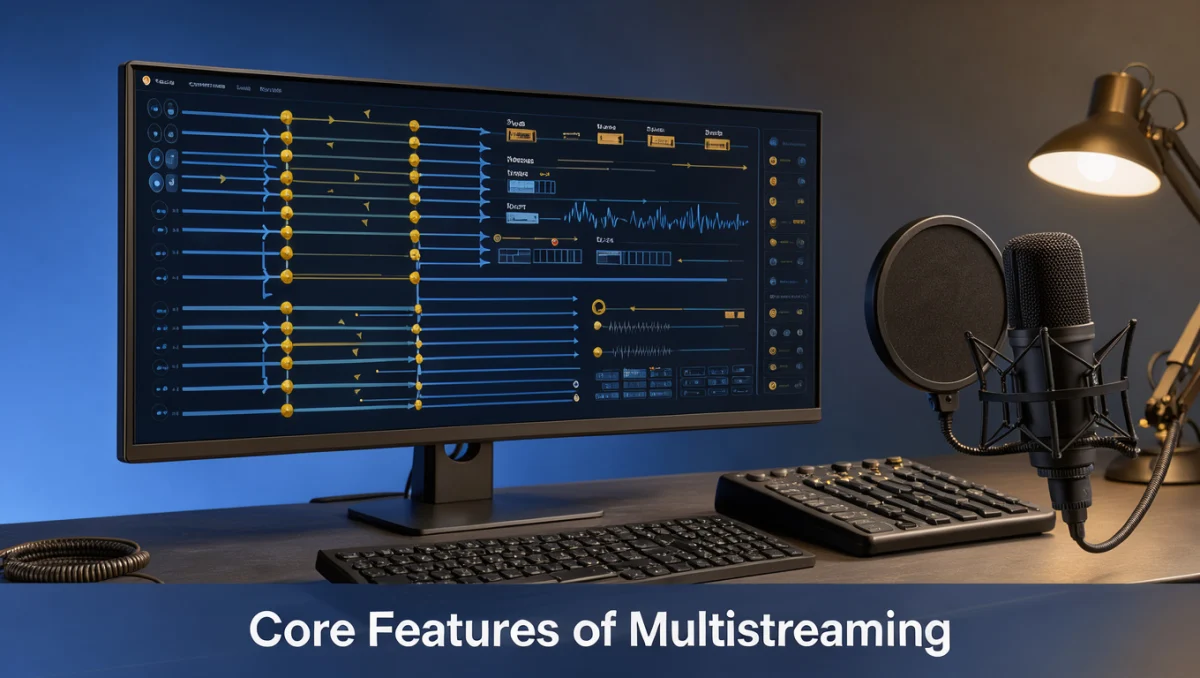
Live video platforms in this segment provide core functionality organized around stream origination, signal replication, viewer interaction aggregation, and broadcast monitoring. Broadcasters rely on these interconnected tools to conduct smooth public or internal events without technical friction.
3.1. Multi-destination signal routing
Signal multiplexing forms the foundational pillar of the platform. Broadcasters send a single primary feed from their local video setup, which the cloud infrastructure replicates and routes onward to selected social networks, video portals, and custom destination servers.
This arrangement saves significant upstream internet capacity at the broadcasting location. Broadcasters avoid purchasing redundant internet connections or enterprise-grade network hardware because the distribution work happens on cloud servers rather than on local machines.
3.2. Centralized chat aggregation
When broadcasting across several platforms at once, monitoring separate chat windows creates severe operational confusion for a solo presenter or production assistant. Aggregated chat technology collects incoming messages from connected channels into a single unified dashboard.
Presenters can observe viewer comments as they arrive, filter messages, and highlight relevant feedback directly on screen during the live session. Consolidating viewer feedback into one workspace keeps presentations timely and interactive across all participating audiences.
3.3. In-browser studio environment
For presenters who do not operate complex desktop encoding software, an integrated studio environment running inside a web browser provides an accessible production space. Users invite remote guests through simple browser links, display digital presentations, and switch between graphic overlays.
This browser studio removes the technical barrier of configuring scene layouts, audio sample rates, and bitrates in standalone production software. Remote interview participants join without downloading extra software, simplifying the guest preparation workflow.
3.4. Analytics and performance oversight
Measuring broadcast impact across different channels requires consolidated reporting. The service records viewer counts, engagement patterns, and streaming duration metrics across connected destinations into unified presentation reports.
Broadcasters use these aggregated reports to compare audience behavior across channels, helping marketing and communication leads determine where future live content should focus. Confirm on the official Restream website which analytics metrics are included on each subscription level before purchasing.
4. Ease of use and learning curve
Restream prioritizes an intuitive user journey, allowing new operators to establish channel connections and launch live broadcasts with minimal initial configuration. The user dashboard arranges channel toggles, stream credentials, and preview monitors in a clean layout.
Novice broadcasters can set up their primary channels by completing standard authentication prompts without manually entering destination server addresses. For seasoned production teams using professional hardware encoders, standard stream keys and RTMP connection endpoints remain straightforward to locate and assign.
The learning curve sharpens primarily when managing advanced broadcast variables such as audio latency matching, custom destination bitrates, and multi-channel chat filters. Teams transitioning from single-channel setups usually master the day-to-day controls within their initial practice broadcasts.
5. Pros and cons
Understanding both the functional advantages and the practical boundaries of the platform helps teams plan their operational setup realistically.
Pros
- Conserves local network upload bandwidth by generating multiple outbound destinations from a single origin stream.
- Unifies audience comments from various live destinations into a consolidated chat window for streamlined moderation.
- Supports direct browser broadcasting alongside professional external encoding software, accommodating different production skill levels.
- Reduces hardware investment requirements for solo operators and small marketing teams seeking wide distribution.
Cons
- Destination rules and platform policies can interrupt individual stream feeds independently of the central routing service.
- High-definition resolution and advanced recording capabilities often vary by subscription package, requiring buyers to verify limits carefully.
- Cloud routing introduces a slight transmission delay that requires testing for interactive question-and-answer formats.
6. Restream vs similar tools
The multi-destination video market contains several dedicated applications, each addressing different production workflows and technical preferences. Selecting the right solution depends on whether your organization values cloud convenience or local hardware sovereignty.
StreamYard focuses heavily on browser-based interactive studio production with multi-channel delivery, catering to interview shows and panel discussions where simplicity takes precedence over complex scene composition. StreamYard provides an accessible production interface, whereas Restream offers broad routing versatility alongside its browser studio tools.
Switchboard Live concentrates on enterprise signal distribution, catering to live events, media organizations, and house-of-worship broadcasts that demand granular stream routing control. Switchboard Live directs its capabilities toward operational teams that already possess dedicated encoding hardware and require multi-destination infrastructure.
OBS Studio represents the open-source desktop approach. Broadcasters can achieve multi-destination delivery using local plugins or separate computer encoders. However, this approach demands significant technical expertise, strong local processing hardware, and substantial upstream bandwidth at the broadcasting venue.
7. Who should use Restream multistreaming
Different production styles and operational budgets determine whether a centralized routing service provides adequate return on investment.
7.1. Freelance creators and live coaches
Freelancers who present workshops, gaming content, or coaching sessions benefit from distributing their live video across multiple public networks simultaneously. Reaching audiences wherever they congregate builds brand awareness without requiring expensive production equipment.
7.2. Small business owners
Small enterprise operators presenting product demonstrations or company updates can connect with customers on several platforms simultaneously. Rather than choosing between separate audience networks, the business broadcasts product unveilings across all public channels concurrently.
7.3. Marketing and communication specialists
Marketing teams conducting webinars, product launches, or partner announcements can extend campaign reach while maintaining consistent brand messaging. The aggregated chat allows a single community manager to moderate conversations originating from disparate networks.
7.4. Corporate trainers and educators
Educational institutions and workplace trainers delivering non-confidential instruction can stream lectures to multiple public repositories at once, giving students flexible viewing options across different platforms.
7.5. Who should look for alternative solutions
Broadcasters operating under strict data compliance mandates or organizations transmitting internal confidential corporate briefings should consider private internal video platforms. Furthermore, operators broadcasting exclusively to one social destination do not require a multi-destination routing subscription.
8. How to choose the right plan

Software subscriptions in the video streaming category scale according to destination counts, output quality, storage durations, and team user seats. Because vendor pricing models evolve over time, prospective buyers should review essential technical allowances before committing their budget.
| What to check on the official pricing page | Why it matters for your broadcast workflow |
|---|---|
| Simultaneous destination channel allowance | Determines how many networks you can target during a single live session without purchasing add-on channels. |
| Video resolution and bitrate caps | Ensures your final broadcast meets visual quality standards expected by your viewers on high-definition displays. |
| Cloud recording storage duration | Affects your ability to download, archive, or repurpose past live broadcasts for on-demand promotional clips. |
| Custom RTMP destination availability | Necessary if you intend to send streams to private organizational portals or non-standard content delivery networks. |
| Team member seat allocation | Allows multiple staff members to control graphics, moderate chat, or monitor stream health simultaneously. |
9. Frequently asked questions
What factors should determine a broadcast team subscription budget?
Teams should account for the monthly software subscription fee, hardware requirements such as microphones and webcams, internet service upstream capacity, and optional production graphics assets. Confirm on the official Restream pricing page whether advanced capabilities require higher-level subscriptions or standalone fees, as these components affect overall production expenditures.
How should organizations test network requirements before going live?
Broadcasters should evaluate their local upload speed to verify that it provides at least double the bitrate required by their outgoing feed. Running practice sessions during peak internet usage hours confirms whether your local network maintains a stable data connection throughout an extended presentation period.
Where should teams confirm compliance rules for simultaneous broadcasting?
Production leads should review terms of service on each external destination network where they plan to transmit video. Certain platforms maintain specific partnership agreements or contractual restrictions regarding whether affiliated broadcasters may distribute concurrent live streams to competing digital venues.
How can small teams manage live chat moderation effectively across multiple destinations?
Assigning a dedicated team member to oversee the centralized dashboard allows the on-camera presenter to concentrate on speaking. Establishing predefined interaction guidelines, identifying priority topics in advance, and configuring chat filters ensures smooth community communication throughout the broadcast.
10. Final verdict
Restream multistreaming provides a dependable, well-balanced distribution framework for organizations and digital producers seeking to expand their live audience footprint. By centralizing signal duplication in the cloud, it eliminates technical bottlenecks that often prevent small teams from managing multi-channel broadcasts.
| Evaluation Criterion | Score / 10 | Evaluation Reason |
|---|---|---|
| Features | 8.5 / 10 | Provides comprehensive signal routing, consolidated chat aggregation, and practical browser studio tools. |
| Ease of Use | 8.8 / 10 | Simple initial channel authentication and clean operational dashboard minimize onboarding friction. |
| Pricing and Value | 7.6 / 10 | Buyers should verify destination allowances and resolution caps on official pricing tiers before committing. |
| Integrations | 7.8 / 10 | Supports standard streaming hardware protocols and popular public video channels effectively. |
| Audience Fit | 8.4 / 10 | Addresses the distribution requirements of solo creators, small business marketers, and agencies. |
| Support | 7.2 / 10 | Buyers should verify current customer service options, response channels, and documentation availability. |
| Competitive Position | 8.2 / 10 | Maintains a strong functional profile against dedicated studio tools and local encoding plugins. |
Overall bestsoftwarereviews score: 8.1 / 10
For independent content creators, growing businesses, and marketing agencies seeking to maximize broadcast visibility across separate digital channels, Restream multistreaming stands out as an efficient and accessible workflow choice. Independent reviewers at Best Software Reviews encourage every prospective subscriber to list intended broadcast destinations and compare them directly against the official plan allowances before finalizing an annual commitment.
Have questions about selecting the right broadcast configuration for your organizational needs? Readers can submit inquiries directly through the bestsoftwarereviews team contact page or connect with editorial staff on LinkedIn to stay updated on future software evaluation guides.