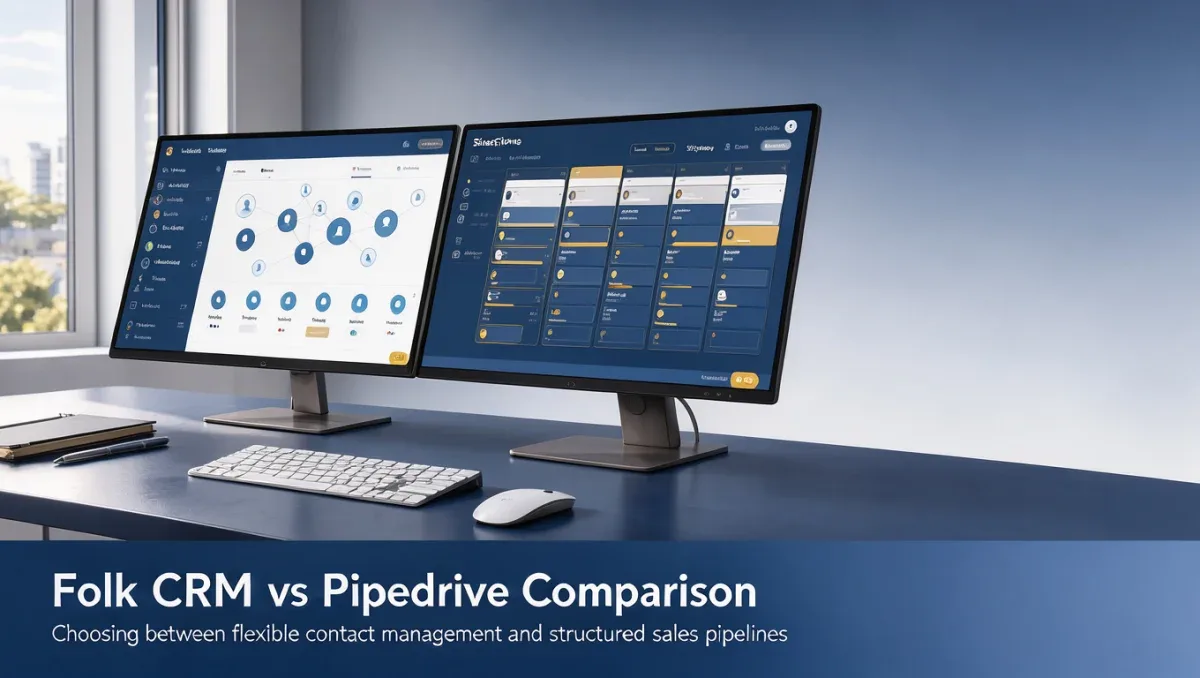
Deciding between Folk CRM and Pipedrive signifies a crucial choice between adaptable relationship organization and focused sales process execution. Your primary goal—managing diverse contacts across various projects or driving structured sales deals through defined stages—will heavily influence which platform is optimal. At Best Software Reviews, we provide a neutral analysis to help you align your operational needs with the right software architecture.
Both systems operate on distinct philosophies. One emphasizes collaborative contact management and flexible communication logging, while the other concentrates on activity tracking and systematic deal progression for revenue generation. For teams navigating the broader Sales software landscape, selecting a tool that matches your workflow prevents costly future adjustments.
In brief: Opt for Folk CRM if collaborative contact organizing and relationship management across diverse groups are paramount, reflected in its 8.0/10 overall score. Choose Pipedrive if your focus is on tracking structured deal pipelines and activity sequences, earning an 8.1/10 score. Each platform is tailored for specific business workflows.
| Evaluation Aspect | Folk CRM | Pipedrive |
|---|---|---|
| Best Software Reviews Score | 8.0/10 | 8.1/10 |
| Ideal For | Agencies, recruiters, and cross-functional teams managing varied contacts | Sales teams needing dedicated deal stages and activity-driven pipelines |
| Core Strength | Flexible relationship and contact management | Structured sales pipeline and deal tracking |
| Consider If | Contacts are organized across multiple projects, not just strict sales deals | Revenue depends on tracking daily sales activities and stage progress |
Understanding The Core Differences in Focus

Folk is designed as a collaborative relationship management tool. It enables teams to centralize contacts, document communication histories, and build adaptable outreach pipelines for initiatives like recruiting, fundraising, or partnership development. Its architecture prioritizes contacts and organizations as central entities, allowing users to group individuals via custom tags, share interaction notes, and coordinate outreach efforts effectively.
Conversely, Pipedrive is engineered primarily as a sales pipeline management system built around activity-based selling. The platform organizes work around individual sales deals that move chronologically through linear stages. This structure helps sales representatives prioritize daily calls, meetings, and follow-ups to maintain pipeline momentum. Examining the distinct operational approaches is key in this folk crm vs pipedrive comparison.
| Operational Aspect | Folk's Strategy | Pipedrive's Strategy |
|---|---|---|
| Central Focus | Contacts and shared relationship directories | Deals progressing through sequential sales stages |
| Primary Workflow | Grouping contacts and coordinating customized outreach | Scheduling daily sales activities to advance deal stages |
| Team Collaboration | Shared contact lists, notes, and collaborative views | Sales rep accountability and deal ownership assignment |
| Pipeline Structure | Flexible board and table views for varied projects | Linear sales stages with visible stage-by-stage conversion rates |
Matching The Right Tool To Your Business Needs

Selecting between Folk and Pipedrive requires a thorough evaluation of how your organization manages inquiries and maintains long-term relationships. Use this guide to align your operational reality with the suitable tool design.
| Situation | Choose Folk If | Choose Pipedrive If |
|---|---|---|
| Managing diverse relationships (investors, partners, clients) | You need unified contact lists categorized across distinct project boards | You primarily track commercial sales opportunities through a linear funnel |
| High-volume outbound deal closing is crucial | Your outreach is relationship-driven rather than milestone-driven | You require strict stage definitions, deal decay alerts, and activity prompts |
| Non-sales team members need CRM access | Marketing, design, or leadership teams contribute context to contact profiles | Primary CRM users are dedicated sales representatives closing accounts |
| Operating an agency with client rosters | You prefer flexible list configurations over mandated sales closing steps | You manage traditional retainers with standardized sales stages |
| Daily routine involves sales calls and meetings | You value custom views over rigid call and meeting schedules | Every deal requires a mandatory next scheduled action |
| Rapid customization of data views is necessary | You want custom fields and list sorting across custom groups | You prefer standardized pipeline stages tailored for sales metrics |
How To Conduct Your Own Comparison
Independent, hands-on evaluation ensures your team validates functional assumptions before committing to a software contract. Employ these comparison dimensions during your trial period.
Features Deep Dive
Examine data entry, custom properties, and record update mechanisms. During your trial, input sample records to assess how easily you can filter, tag, and segment data based on your daily requirements.
Ease of Use Assessment
Invite both technical and non-technical team members to navigate contact views. Measure the time it takes for a new user to find communication records, add personal notes, and create a new project view without external help.
Pricing and Value Analysis
Software vendors frequently adjust pricing tiers and user limits. Visit the official pricing pages for both Folk and Pipedrive to confirm seat minimums, add-on costs, and tier requirements that align with your current team size.
Integration Verification
Confirm that your current communication and productivity tools connect smoothly with each platform. Check the official documentation for both tools to ensure compatibility with your email providers, scheduling software, and data synchronization utilities.
Audience Fit Evaluation
Determine if your business structure aligns better with contact-centric networking or pipeline-centric selling. Teams focused on ongoing partnerships often prefer flexible grouping, while direct sales teams benefit from strict stage reporting.
Support Channel Review
Assess the available assistance documentation, onboarding materials, and representative response channels. Review official resources on vendor sites to understand the onboarding guidance provided for your projected team size.
Competitive Position Insight
Evaluate each platform's standing relative to traditional CRM solutions. For more in-depth methodology and software selection frameworks, explore the editorial resources on Best Software Reviews to refine your evaluation process.
Cost Considerations For Both Platforms
Subscription costs often include auxiliary expenses beyond base license fees. Use this checklist to identify potential unexpected costs before making a financial commitment.
| Cost Item | Inquire About Folk | Inquire About Pipedrive |
|---|---|---|
| Seat Minimums | Confirm user tier requirements and minimum seat thresholds on the official Folk page | Check how per-user pricing scales across different team tiers on the official Pipedrive page |
| Communication Limits | Verify monthly message caps for sending or email tracking | Check if advanced email sync and tracking necessitate higher-tier subscriptions |
| Workflow Automation | Confirm which plan includes automated contact grouping and multi-step actions | Verify which tier includes automated deal movement routines |
| Data Storage | Check for contact or attachment file storage caps on standard tiers | Confirm deal limits and custom field caps across each plan tier |
Making The Final Decision
Adhering to a structured selection framework eliminates subjective bias and helps your team choose the platform that best fits your operational rhythm.
- Clearly document your primary business process, clarifying whether moving commercial deals or maintaining relationship records is the daily priority.
- Gather team requirements from all departments interacting with the database, noting if non-sales roles need regular access.
- Create identical evaluation datasets (e.g., twenty contacts, five projects) to test within both software environments.
- Calculate the total annual expenditure, considering official pricing tiers, necessary add-ons, and projected team growth.
- Conduct a structured evaluation review with core users to gather objective feedback on daily data entry speed and operational clarity.
Frequently Asked Questions
What is the fundamental distinction between Folk and Pipedrive?
The core difference lies in their workflow orientation. Folk emphasizes flexible contact organization, relationship categorization, and multi-project communication directories. Pipedrive is purpose-built for activity-based sales execution, organizing daily efforts around deals progressing through standardized pipeline stages.
How difficult is migrating contact data between these platforms?
Migration typically involves standard data exports and imports using structured spreadsheet formats. Contact names, emails, and notes usually transfer reliably. However, historical activity timestamps and customized pipeline stages often require manual mapping during setup.
Which platform is better for non-traditional sales teams?
Teams managing creator rosters, recruitment pipelines, or investor networks often find contact-centric tools like Folk more adaptable, as these workflows aren't tied to traditional sales quotas or closing milestones.
Can sales teams use both tools simultaneously?
While technically possible with third-party synchronization tools, running two distinct platforms concurrently often leads to data silos and duplicate entry. Organizations generally benefit more from standardizing on a single system that aligns with their primary operational workflow.
Final Verdict
Both platforms offer specialized capabilities within their respective domains. Review our synthesized scoring evaluation across key criteria to finalize your organizational choice.
| Criterion | Folk Score /10 | Pipedrive Score /10 | Rationale |
|---|---|---|---|
| Features | 7.2 | 8.4 | Pipedrive offers deep, dedicated sales pipeline tools; Folk focuses on lighter, contact-centric tracking. |
| Ease of Use | 8.5 | 7.4 | Folk provides intuitive, adaptable list management; Pipedrive requires learning structured sales routines. |
| Pricing and Value | Confirm Before Buying | Confirm Before Buying | Verify seat limits and feature tiers impact total cost on official pricing pages. |
| Integrations | Confirm Before Buying | Confirm Before Buying | Check native app connections and data sync capabilities on official websites. |
| Audience Fit | 8.2 | 8.3 | Folk suits cross-functional relationship managers; Pipedrive closely matches quota-carrying sales reps. |
| Support | Confirm Before Buying | Confirm Before Buying | Evaluate current onboarding guidance and direct assistance options via vendor channels. |
| Competitive Position | 8.1 | 8.3 | Folk targets flexible networking; Pipedrive targets sales funnels, each holding a distinct market position. |
| Overall Score | 8.0 | 8.1 | Calculated average across evaluated qualitative criteria. |
Organizations prioritizing broad contact management, agency client tracking, and lightweight outreach should select Folk. Businesses running structured sales teams with clear deal milestones, activity quotas, and traditional sales funnels will achieve better operational alignment with Pipedrive.