bestsoftwarereviews may earn a commission when you buy through links on this page, at no extra cost to you. This does not affect our ratings.
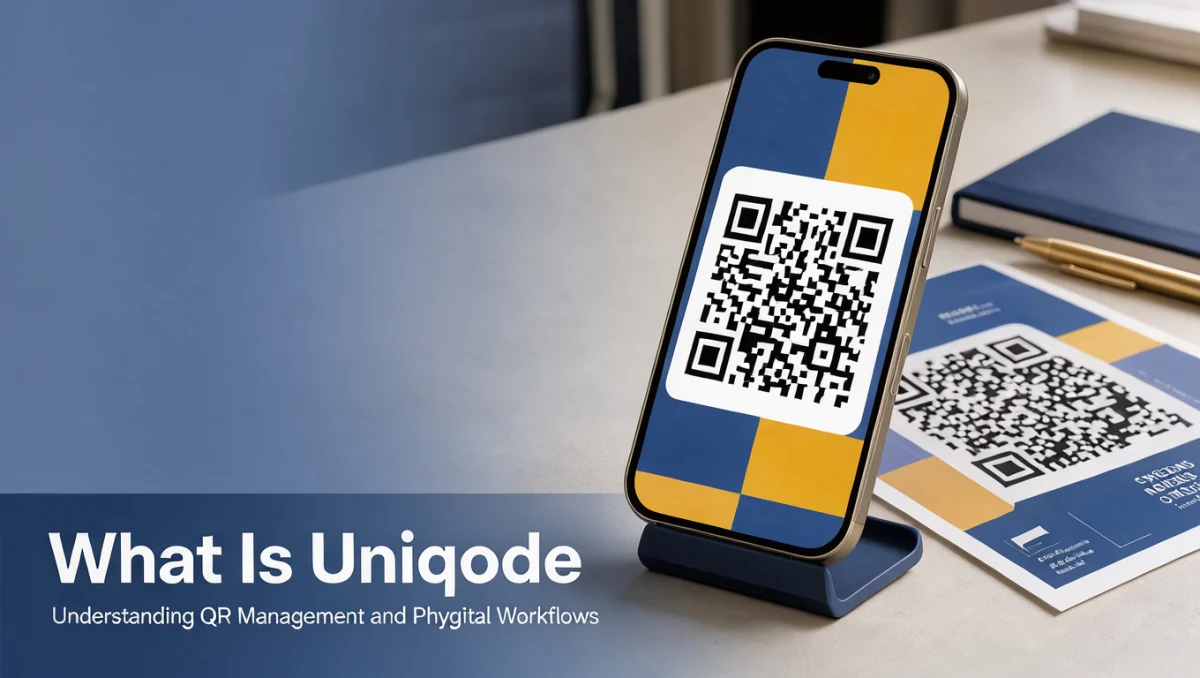
What is Uniqode becomes an essential question for organizations seeking to connect physical materials with digital destinations through managed QR codes and dynamic landing pages. At Best Software Reviews, we look at how specialized software centralizes everyday campaign operations without requiring complex custom engineering.
Organizations deploy this category of software to create trackable physical-to-digital interactions across merchandise, printed collateral, packaging, and digital business cards. Understanding how these tools operate helps teams evaluate whether a centralized platform meets their operational requirements.
In short: Uniqode is a QR code management and digital business card platform designed to help businesses create, organize, and monitor dynamic physical-to-digital touchpoints across print campaigns, product packaging, and corporate networking materials without technical overhead.
| Software category | Main job | Typical users | Similar tools |
|---|---|---|---|
| QR code management platform | Generating, organizing, and updating dynamic QR destinations | Marketing teams, operations managers, and brand coordinators | Bitly, QR Code Generator |
1. How bestsoftwarereviews Put This Guide Together
This guide combines what the software covered here is built to do with the bestsoftwarereviews buying framework, so you can make the decision that fits your business. Plans, prices and limits change often, so we point out what to confirm on the official website before you buy. This article was researched and drafted with the help of AI tools, then reviewed and edited by the bestsoftwarereviews Editorial Team.
2. What Uniqode does

Uniqode serves as a centralized hub for managing physical-to-digital communication pathways. Teams managing multi-channel initiatives within ongoing software and campaign Development rely on platforms like this to handle repetitive asset generation.
- Dynamic code creation: Generating two-dimensional barcodes whose underlying destination web address can be altered after printing without changing the physical graphic.
- Digital business cards: Creating mobile-responsive contact profiles that team members share via scannable codes, simplifying contact exchanges at commercial gatherings.
- Campaign grouping and folder organization: Arranging operational assets into client folders, regional workspaces, or departmental buckets to maintain brand consistency.
- Interaction observation: Recording aggregate scan counts, general geographic origins, and device categories to determine which offline placements generate consumer curiosity.
3. Where Uniqode fits in your workflow

Deploying specialized software changes how marketing, operational, and administrative departments prepare printed collateral. The table below illustrates where a dedicated platform provides utility and where human oversight remains necessary.
| Business task | How this type of software helps | What you still do yourself |
|---|---|---|
| Package label generation | Supplies dynamic vector codes ready for packaging artwork integration | Verifying print proof contrast, physical placement, and material finish |
| Corporate networking | Maintains centralized contact profiles that reflect standard employee information | Updating individual role adjustments and distributing physical badges |
| Event promotional signage | Enables mid-campaign redirection if a target presentation URL moves | Designing the broad creative backdrop and monitoring venue internet stability |
| Direct mail brochures | Allows different print batches to point toward targeted promotional pages | Writing marketing messages, conducting postal distributions, and managing customer inquiries |
4. Key terms explained
Navigating this category of software involves several technical terms commonly used by marketing and technology specialists.
- Dynamic QR code: A scannable code redirecting through an intermediary URL, allowing the final web destination to change at any time.
- Static QR code: A fixed pattern encoding permanent text or web addresses directly into the pixels, impossible to edit once rendered.
- Physical-to-digital (Phygital): The operational practice of bridging tangible printed objects with interactive online destinations through scannable elements.
- Vector export: Scalable digital graphics formats that allow printing at large billboard sizes without losing optical sharpness.
5. Who uses it and who does not need it
Evaluating organizational needs prevents unnecessary software subscriptions and workflow friction.
Teams that benefit from a centralized QR code platform include:
- Marketing departments distributing large volumes of printed collateral, product boxes, or event banners across multiple regions.
- Retail and consumer goods companies requiring traceable package labels with updatable consumer information.
- Enterprises equipping large field forces with standardized, digital contact sharing profiles.
- Agencies responsible for delivering distinct client campaigns under separate workspaces.
Groups that likely do not need a specialized platform include:
- Solo professionals needing a single, permanent QR code pointing to a static personal portfolio.
- Organizations with minimal print output that rarely change target URLs.
- Businesses already using comprehensive marketing suites that bundle satisfactory code generation utilities.
6. How to get started
Adopting physical-to-digital technology works best through a methodical evaluation process.
- Catalog your physical touchpoints: Document where scannable codes will appear, such as product cartons, menus, uniforms, or exhibition booths.
- Determine redirection requirements: Identify whether destination addresses must change periodically after collateral gets distributed.
- Review subscription terms on the official Uniqode website: Verify current user allotments, scanning boundaries, and administrative governance options before committing budget.
- Run practical test prints: Print test codes on actual target materials to check scanning readability under various environmental lighting conditions.
7. Frequently asked questions
7.1. What distinguishes dynamic QR codes from static QR codes?
Static codes hardcode the destination directly into the graphical matrix, meaning any correction requires reprinting the physical material. Dynamic codes route scanners through an intermediate server, allowing teams to update destination web addresses instantly while keeping the printed artwork unchanged.
7.2. Why do organizations manage QR codes through dedicated platforms instead of free generators?
Free generators produce individual static codes without aggregated analytics, central access control, or folder organization. Dedicated platforms allow multi-user teams to maintain brand uniformity, organize assets by project, and reassign destination links after marketing collateral enters distribution.
7.3. What technical requirements exist for scanning these codes?
Modern mobile phones equipped with standard camera software recognize these optical codes automatically without requiring dedicated third-party reading applications, provided sufficient physical contrast exists between the printed code and its background.
7.4. Which team members typically administer platforms in this category?
Brand managers, creative directors, event coordinators, and operations leads usually manage daily administration. The software provides organizational workspaces so teams can separate client projects or departmental collateral cleanly.
8. Bottom line
Deciding what is Uniqode and whether to adopt it depends on how frequently your organization prints collateral that must connect to dynamic digital destinations. For companies coordinating packaging, live events, or physical networking assets, a centralized management platform eliminates the risk of dead links on permanent print runs. Review your volume requirements on the official Uniqode website to confirm the setup matching your operating scale.
Have a question about choosing software? Send it to the bestsoftwarereviews team through our contact page or follow bestsoftwarereviews on LinkedIn for new reviews and comparisons.